How to Download YouTube Music to Your Computer or iPhone in 2026


YouTube is not just for videos anymore. For a lot of people, it is the place where the good music lives: live sets, remixes, covers, DJ mixes, rare uploads, podcast clips, and tracks that never make it to Spotify or Apple Music.
So the real question is simple: how do you download YouTube music when you want to listen offline?
There are 2 honest answers.
If you want the official route, use YouTube Music Premium or YouTube Premium. It lets you save songs and videos for offline playback inside the YouTube app. If you need local MP3 or AAC files on your computer, or you want to move music to your iPhone without iTunes, you need a different workflow.
That is where Softorino YouTube Converter PRO fits. SYC PRO is a Mac and Windows app that downloads YouTube, Vimeo, and SoundCloud media as audio or video files, then can send them straight to your Apple device.
Before we get into the steps, one boring but important thing.
Download only content you own, created, have permission to use, or that is royalty-free, public-domain, or otherwise allowed. YouTube’s official offline downloads stay inside YouTube’s apps. Converting copyrighted songs into local files may violate YouTube’s terms or copyright law.
Before we begin
Download SYC PRO on Mac or Windows to save permitted YouTube music as MP3 or AAC for offline listening. Use only tracks you own or have permission to download, and choose the output format before starting.
Can you download YouTube Music to a computer?
Yes, but the method depends on what you mean by “download YouTube music.”
YouTube Music Premium lets Premium members download music for offline listening on mobile devices, according to Google's YouTube Music Help. Google's YouTube Help also says YouTube Premium can download videos on a computer in supported browsers like Chrome, Edge, Firefox, and Opera. Those downloads are for offline playback inside YouTube's own environment. They are not normal MP3 files you can move into your music library.
A YouTube music downloader creates local audio or video files. That is useful when you have allowed content and need a file you can organize, back up, tag, or transfer to your iPhone or iPad.
Here is the clean split:
Method | Best for | What you get | Main limit |
|---|---|---|---|
YouTube Music Premium | Official offline listening | App-only downloads | No normal MP3/AAC file export |
YouTube Premium on desktop | Offline video playback in supported browsers | Browser/app downloads | Stays inside YouTube |
SYC PRO | Local files, playlists, metadata, iPhone/iPad transfer | MP3, AAC, MP4, Apple-device transfer | Use only for content you are allowed to download |
Online converters | One quick file | Usually MP3 or MP4 | Ads, popups, quality limits, unreliable sites |
Official method: download YouTube Music with Premium
If you only want to listen offline inside YouTube Music, start with the official option.
YouTube Music Premium members can download songs, videos, playlists, albums, and podcasts for offline listening on mobile devices. Google says you need to reconnect to the internet at least once every 30 days to keep downloads active.
This is the safest choice if you want normal YouTube Music listening without thinking about file formats or copyright headaches.
It is not the right choice if you need:
For that, use a desktop app like SYC PRO.
- MP3 or AAC files on your computer
- A local music library you can tag and back up
- YouTube songs inside the Apple Music app on iPhone
- Playlist files outside YouTube
- A workflow that avoids iTunes or Finder sync
Download YouTube music in 4 steps with SYC PRO
SYC PRO works as a YouTube music downloader for Mac and Windows. It can download YouTube audio as MP3 or AAC, save videos as MP4, download playlists, edit metadata, and transfer media directly to Apple devices over cable or Wi-Fi.
It also supports Vimeo, SoundCloud, and YouTube Shorts, so you are not stuck with YouTube only.
Step 1: Download and install SYC PRO
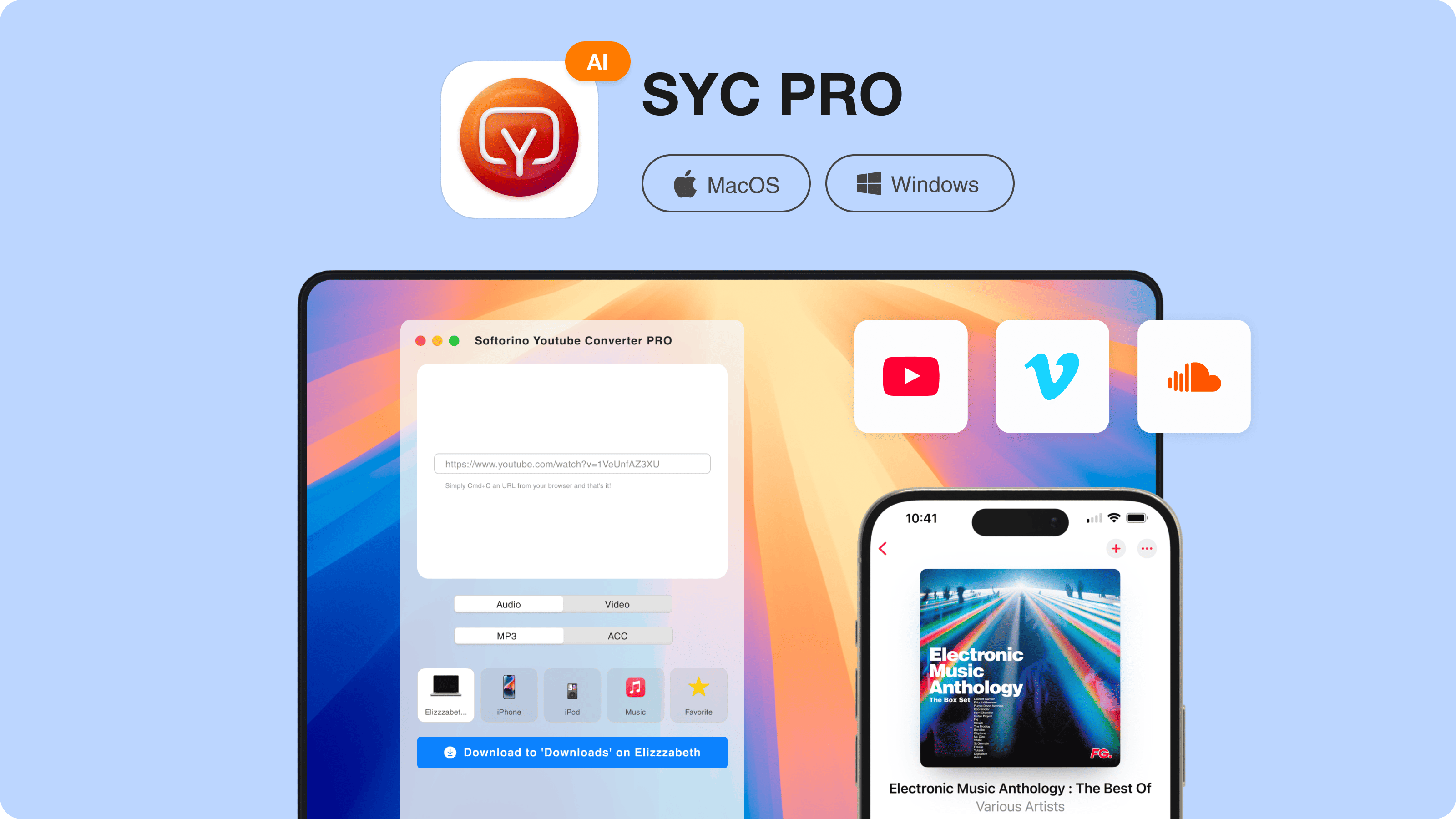
Download SYC PRO for Mac or Windows and install it on your computer. The app has a 24-hour free trial, so you can test the workflow before buying.
Keep your internet connection stable before starting the download. If you use Chrome, you can also use the browser extension for faster link capture.
Step 2: Copy the YouTube song or playlist URL
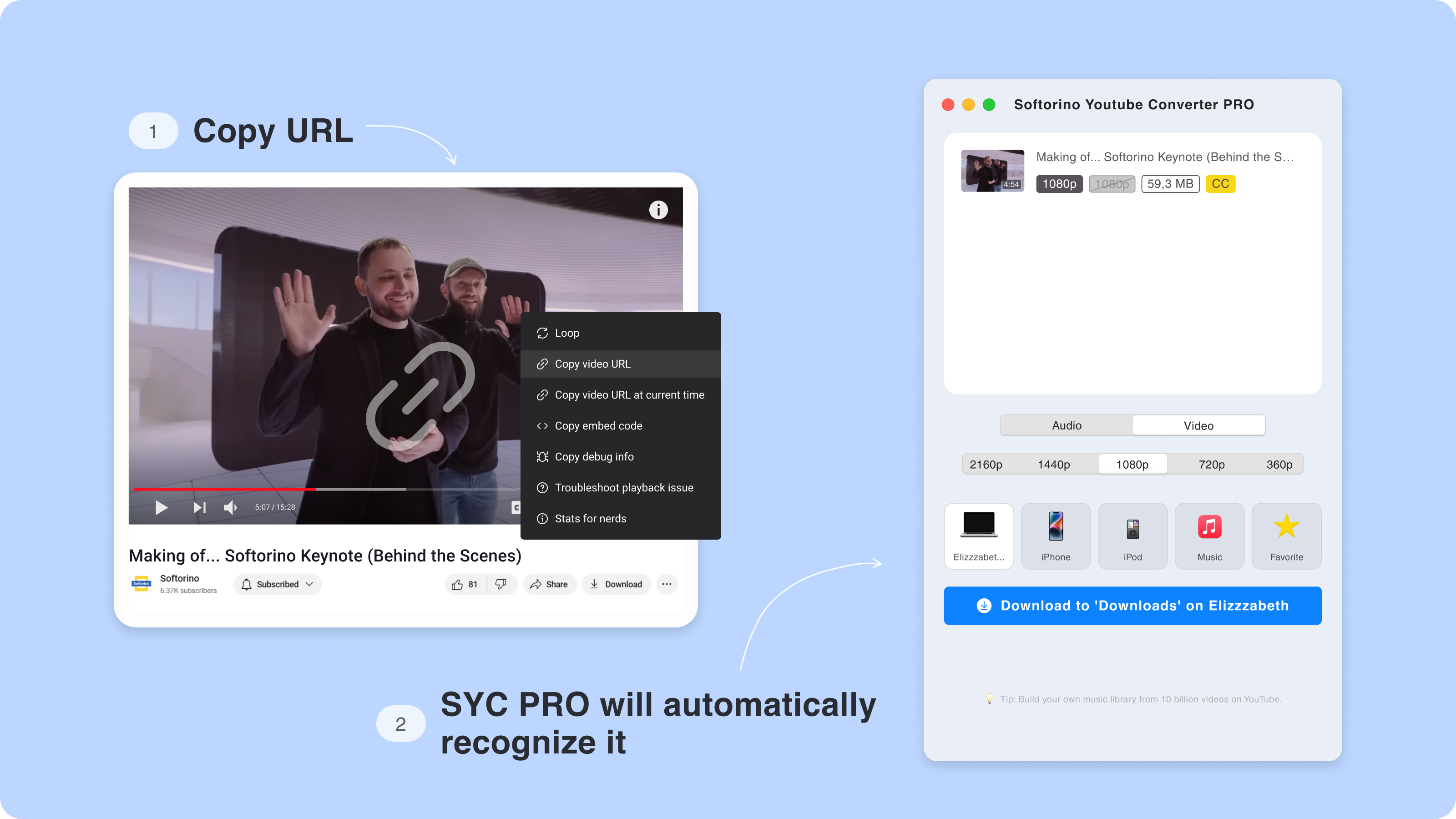
Open YouTube or YouTube Music in your browser. Find the song, video, live set, mix, or playlist you want to save, then copy the URL.
SYC PRO detects copied media links and adds them to the download queue. This saves you from pasting every link by hand.
Downloading a full playlist is where desktop apps beat most web converters. One playlist URL is easier than feeding 37 songs through a popup-filled website.
You can queue several links at once if you are building a small offline library or saving a set before it disappears.
Step 3: Choose the format and destination
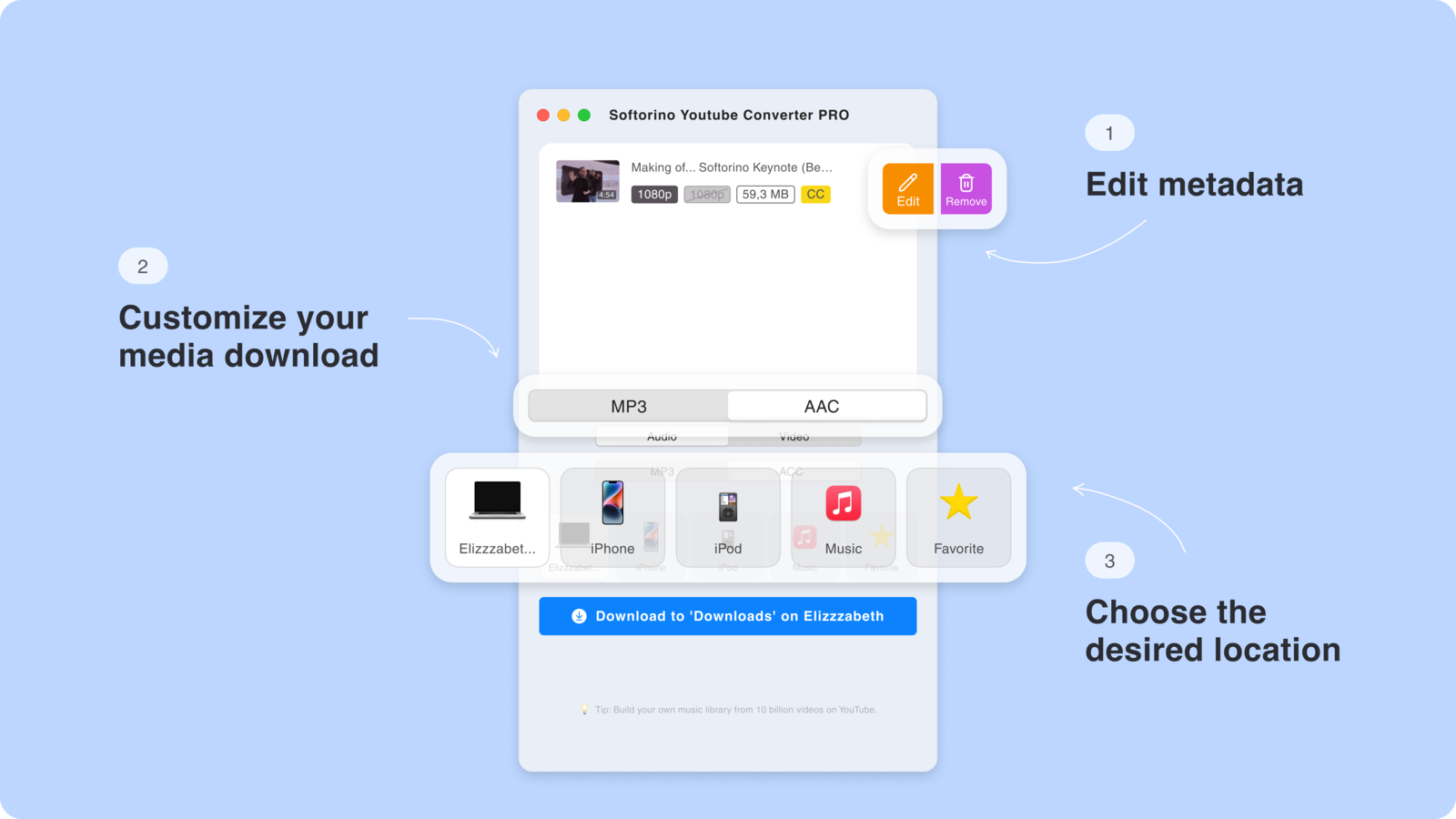
Choose your output format and destination.
For music, use:
Then choose where the file should go. You can save it to your Mac or Windows computer, or send it directly to an iPhone or iPad. SYC PRO supports wired and Wi-Fi transfer to Apple devices.
If your goal is a clean music library, send audio to the Apple Music app on your iPhone. If your goal is a video, send it to the Apple TV app.
- MP3 if you want the most compatible audio file
- AAC if you want an Apple-friendly format
- MP4 if you are saving the full video or YouTube Short
Step 3.5: Fix the metadata
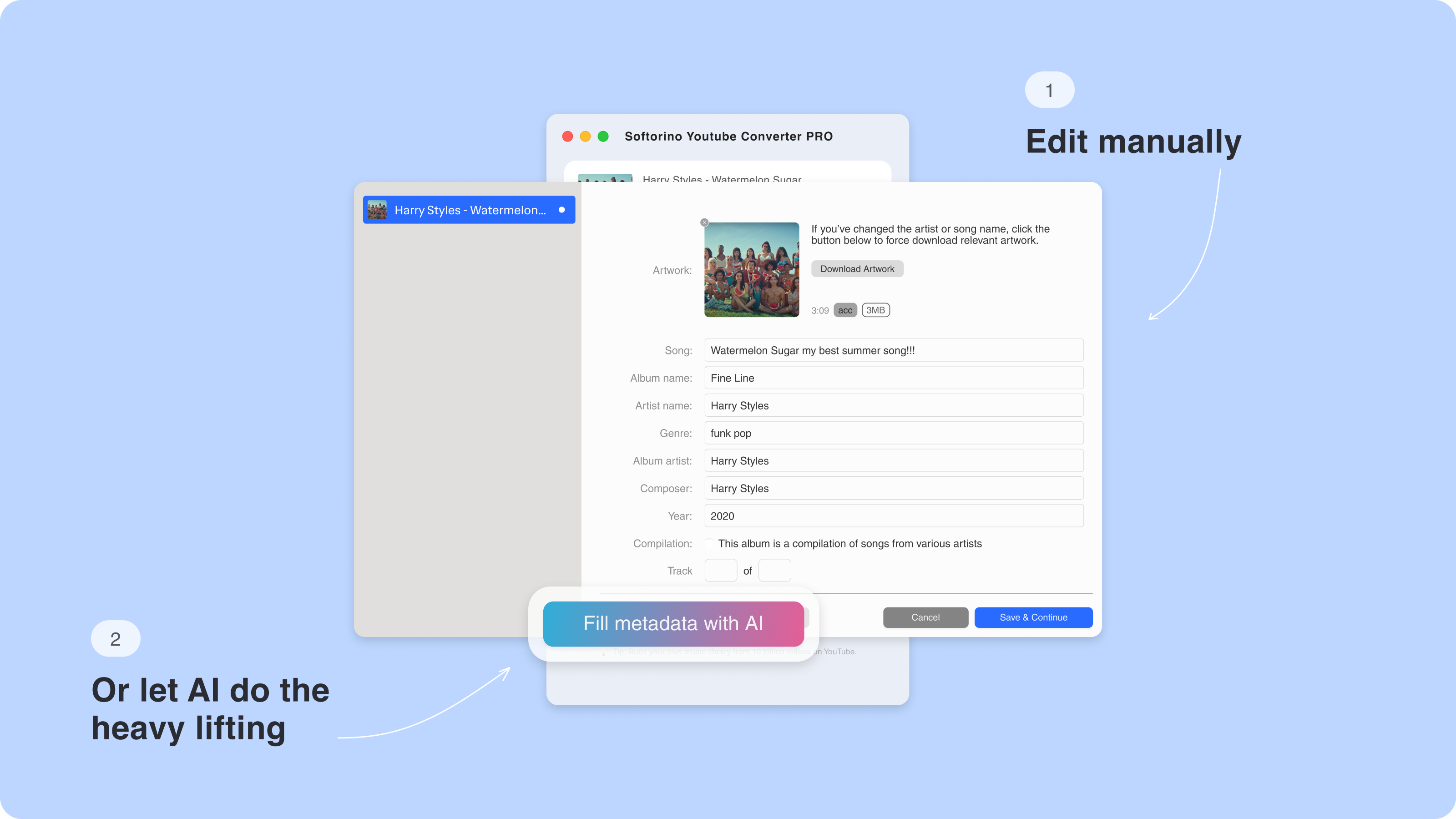
A downloaded file is only useful if you can find it later.
SYC PRO lets you edit metadata before saving the track, including:
- Song title
- Artist name
- Album name
- Cover art
SYC PRO includes AI metadata fill. Use it to clean up track titles, artist names, and artwork before the file lands in your library.
This matters more than people think. A messy MP3 folder turns into “Track 01, Unknown Artist” hell fast.
Step 4: Download and play the song
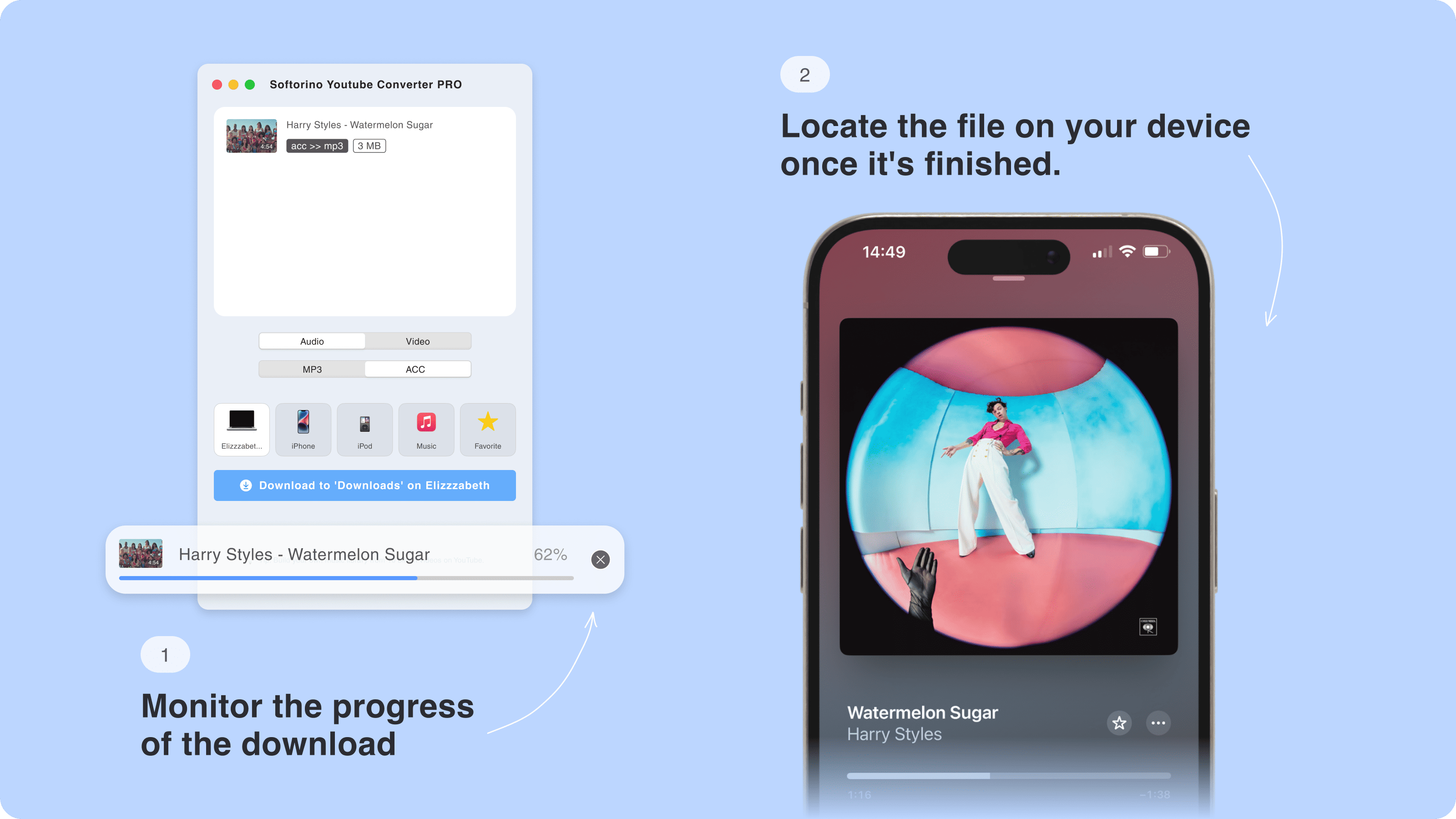
Click Download and wait for SYC PRO to finish.
If you saved the track to your computer, you now have a local file. If you chose your iPhone or iPad as the destination, the media goes to the default Apple player, so you do not need to fight with iTunes.
That is the practical win. Many YouTube audio downloaders stop at “here is a file.” SYC PRO handles the download, format choice, metadata, and Apple-device transfer in one flow.
What format should you choose for YouTube music?
For most people, MP3 is the safe choice. It plays almost anywhere and works well for casual listening.
AAC is a good pick if you live inside Apple Music and Apple devices. It is Apple-friendly and keeps file sizes reasonable.
MP4 is for video, not just audio. Use it when you want the full music video, a YouTube Short, a concert clip, subtitles, or something you plan to watch later.
Do not chase fake “lossless YouTube audio” claims. A YouTube downloader cannot create better audio than the source gives it. Pick the best available setting, but expect quality to depend on the original upload and the format you choose.
Why not use an online YouTube to MP3 converter?
Online converters are tempting because they look instant. Paste a link, click a button, done.
In practice, they often come with the usual garbage:
If you need one allowed audio clip once, a web tool may be enough. If you download YouTube music often, especially playlists, a desktop app is less painful.
SYC PRO is not just another “paste URL here” page. It is a Mac and Windows app built for people who want local files, cleaner metadata, playlist handling, and direct Apple-device transfer.
- Fake download buttons
- Popups and redirects
- Quality limits
- Broken playlist support
- No useful metadata editing
- Sites that disappear or change domains
- No direct iPhone or iPad transfer
Best ways to download YouTube music compared
Option | Best for | Formats | Playlist support | iPhone/iPad transfer | Safety notes |
|---|---|---|---|---|---|
YouTube Music Premium | Official offline listening | In-app only | Yes, inside app | Inside YouTube Music app | Safest official route |
YouTube Premium desktop downloads | Offline video playback in supported browsers | In-browser/offline playback | Limited by YouTube | No local file transfer | Official, but not MP3 export |
SYC PRO | Allowed local downloads, MP3/AAC, playlists, Apple devices | MP3, AAC, MP4 | Yes | Yes, cable or Wi-Fi | Use only for permitted content |
Online YouTube to MP3 converters | One quick file | Usually MP3/MP4 | Weak or unreliable | No | Watch for ads, redirects, fake buttons |
Android-only apps/APKs | Android users | Varies | Varies | No | Avoid sketchy APKs |
yt-dlp/manual tools | Technical users | Many options | Strong | No built-in Apple transfer | Powerful, but not friendly |
The best YouTube music downloader for you depends on the job.
If you want official offline playback, use Premium. If you want local files and direct Apple-device transfer, use SYC PRO. If you like terminal commands, yt-dlp exists, but you probably already knew that.
When SYC PRO makes the most sense
SYC PRO is the better fit when you want to download YouTube music and do something with the file afterward.
Use it when you want to:
It is not the official YouTube Music offline system. It is a local-file workflow for content you are allowed to save.
That distinction matters. It keeps the article honest, and it keeps you from treating every YouTube song like free inventory.
- Download a YouTube playlist instead of one track at a time
- Convert YouTube to MP3 or AAC
- Save music to your Mac or Windows PC
- Transfer music to iPhone or iPad without iTunes
- Fix title, artist, album, and cover art before saving
- Save YouTube videos or Shorts as MP4
- Download Vimeo or SoundCloud media too
Alternative ways to download YouTube music
1. Desktop YouTube downloaders
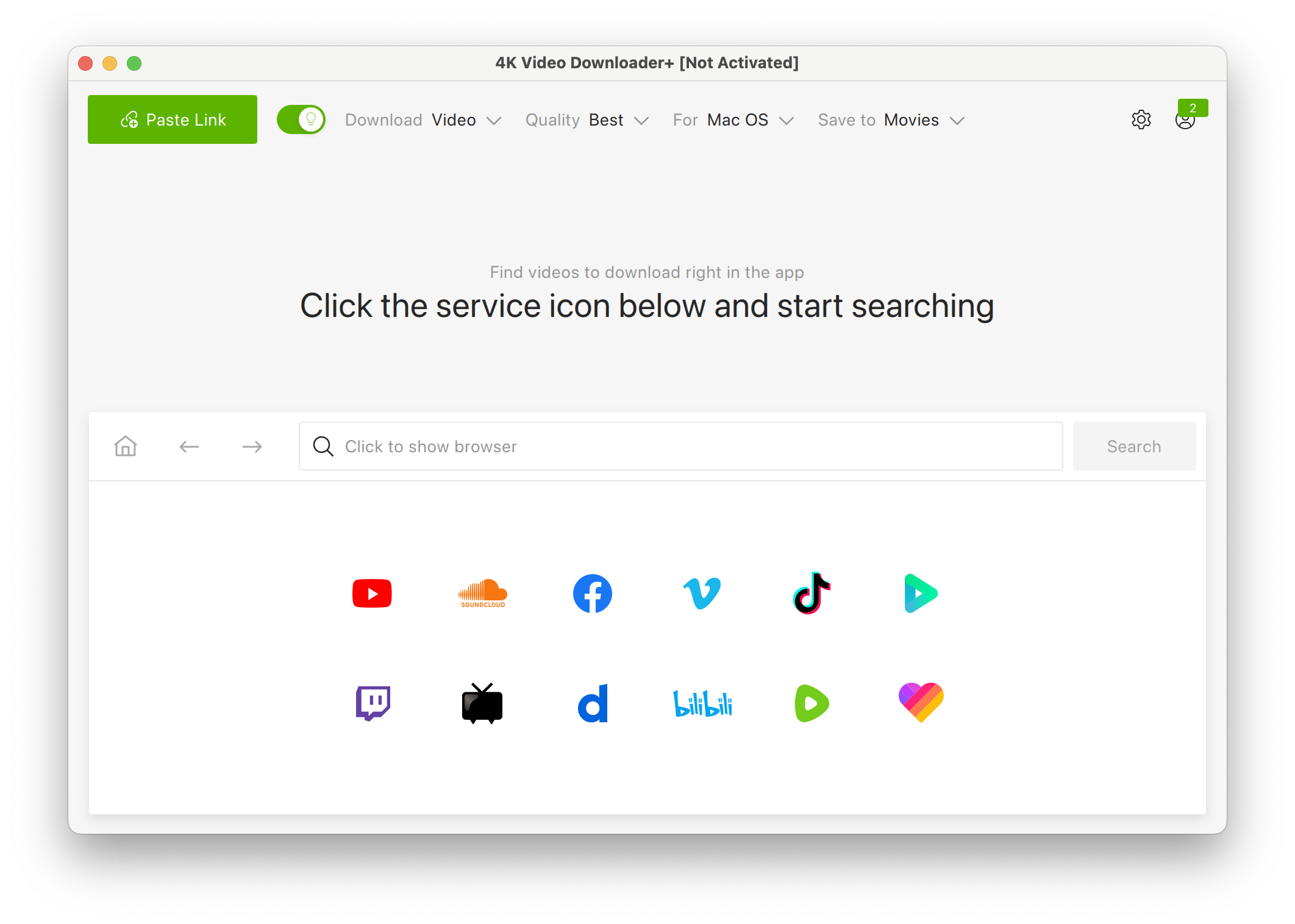
Tools like 4K Video Downloader or MediaHuman focus on saving video or audio to your computer. Some support playlists and MP3 extraction.
The trade-off is Apple-device transfer. Many desktop downloaders still leave you with the old problem: now you have a file, but you still need to move it to your iPhone.
2. Android-only apps

Some Android apps can download or play YouTube-style music offline. They may work for Android users, but they do not solve the iPhone problem.
Be careful with APK downloads from random sites. If the app is not from a trusted source, the “free music” can get expensive in other ways.
3. YouTube Premium

YouTube Premium and YouTube Music Premium are the clean official options. They are best if you want offline listening inside YouTube’s apps and you do not need local files.
The limits are simple: downloads stay in YouTube’s world, and YouTube Music offline downloads need periodic internet reconnection.
4. Online tools

Online YouTube music downloaders are fine for tiny one-off jobs if you trust the site and have the right to download the content.
They are weak for playlists, metadata, repeat use, and iPhone transfer. Many also feel like a malware museum with a search bar.
To sum up
The easiest way to download YouTube music depends on what you need.
Use YouTube Music Premium if you want official offline listening inside the app. Use SYC PRO if you need local MP3, AAC, or MP4 files, playlist downloads, metadata editing, and direct transfer to iPhone or iPad without iTunes.
For Mac and Windows users who want a cleaner local-file workflow, start the SYC PRO free trial. Download one allowed playlist, clean up the metadata, send it to your iPhone, and see if it beats your current mess.
FAQ
How can I download music from YouTube?
You can download YouTube music officially with YouTube Music Premium for offline listening inside the YouTube Music app. If you need local MP3 or AAC files, use a YouTube music downloader like SYC PRO only for content you own, have permission to use, or that is otherwise allowed.
Is it legal to download music from YouTube?
It depends on the content and method. YouTube Premium downloads are the official route. Downloading copyrighted music as local files without permission may violate YouTube’s terms or copyright law. Stick to your own content, licensed content, public-domain content, royalty-free tracks, or downloads the rights holder allows.
Do I need YouTube Premium to download YouTube music?
You need YouTube Music Premium or YouTube Premium for official offline listening inside YouTube’s apps. You do not need Premium to use a separate desktop downloader, but you still need the legal right to download the content.
What is the best format for YouTube music downloads?
MP3 is the most compatible format. AAC is a good Apple-friendly option. MP4 is best when you want the full video. Quality depends on the source upload and your selected settings, so avoid any tool that promises magic “lossless” YouTube audio.
Can I download a YouTube playlist as MP3?
Yes, SYC PRO can download YouTube playlists by copying the playlist link. This is useful when you want to queue several allowed tracks at once instead of converting each song one by one.
Can I download YouTube music directly to my iPhone?
Yes. SYC PRO can transfer downloads directly to iPhone or iPad over cable or Wi-Fi. Audio can land in the Apple Music app, so you do not need iTunes or Finder sync for the transfer.
Will downloading music from YouTube affect quality?
It can. The final file quality depends on the original YouTube upload and the output settings you choose. Pick high-quality settings when available, but do not expect a downloader to create better audio than the source.

SYC PRO
Download Web Videos Like a PRO
