How to Download Movies From YouTube with SYC PRO


Want to know how to download movies from YouTube without turning your browser into a casino of fake buttons? First, pick the right path. YouTube has official offline options for purchased movies and Premium downloads. SYC PRO is for permitted videos you want as local files on your Mac, Windows PC, iPhone, or iPad.
The key difference is simple: official YouTube downloads stay inside YouTube. SYC PRO gives you a file workflow when you have the right to save the video.
Before we begin
Download SYC PRO on Mac or Windows to save permitted YouTube movies as local files for offline playback. Confirm that the owner allows downloading, then choose the available video quality and destination before starting.
Method | Best for | What you get | Main limit |
|---|---|---|---|
YouTube app | Purchased or rented movies | Offline playback inside YouTube | App-bound, device rules apply |
YouTube Premium | Regular offline viewing | Downloads inside YouTube | Subscription required for many videos |
SYC PRO | Permitted videos you want as files | MP4 or MP3 files, metadata, subtitles, Apple-device transfer | Use only where downloading is allowed |
If you bought or rented a movie on YouTube, start with the official YouTube app. Google explains how purchased and rented movies can be downloaded on supported mobile devices through YouTube. That is the cleanest official route.
If you want offline access to normal YouTube videos, YouTube Premium is the official option. It works well, but the video stays locked inside YouTube. You do not get a normal MP4 file you can organize, tag, move, or keep in your own library.
If you need a local file for content you own, created, licensed, or have permission to save, SYC PRO is the better fit. It works on Mac and Windows, handles video and audio downloads, lets you edit metadata, and can send the result to iPhone or iPad without iTunes.
The legal bit, without the lecture
Do not use any YouTube downloader to copy copyrighted movies you do not own or have permission to save. Also check YouTube's Terms and the video's license. Safe use cases include your own uploads, public-domain videos, Creative Commons videos where the license allows it, files you have permission to download, and videos explicitly offered for download.
That warning matters. It keeps the article honest and saves you from a bad surprise later.
How to download movies from YouTube using SYC PRO
SYC PRO is built for the local-file workflow. You paste a YouTube link, choose quality and destination, check the metadata, then download the video to your computer or Apple device.
Use this method when you want a video file you can keep outside the YouTube app and you have the right to download it.
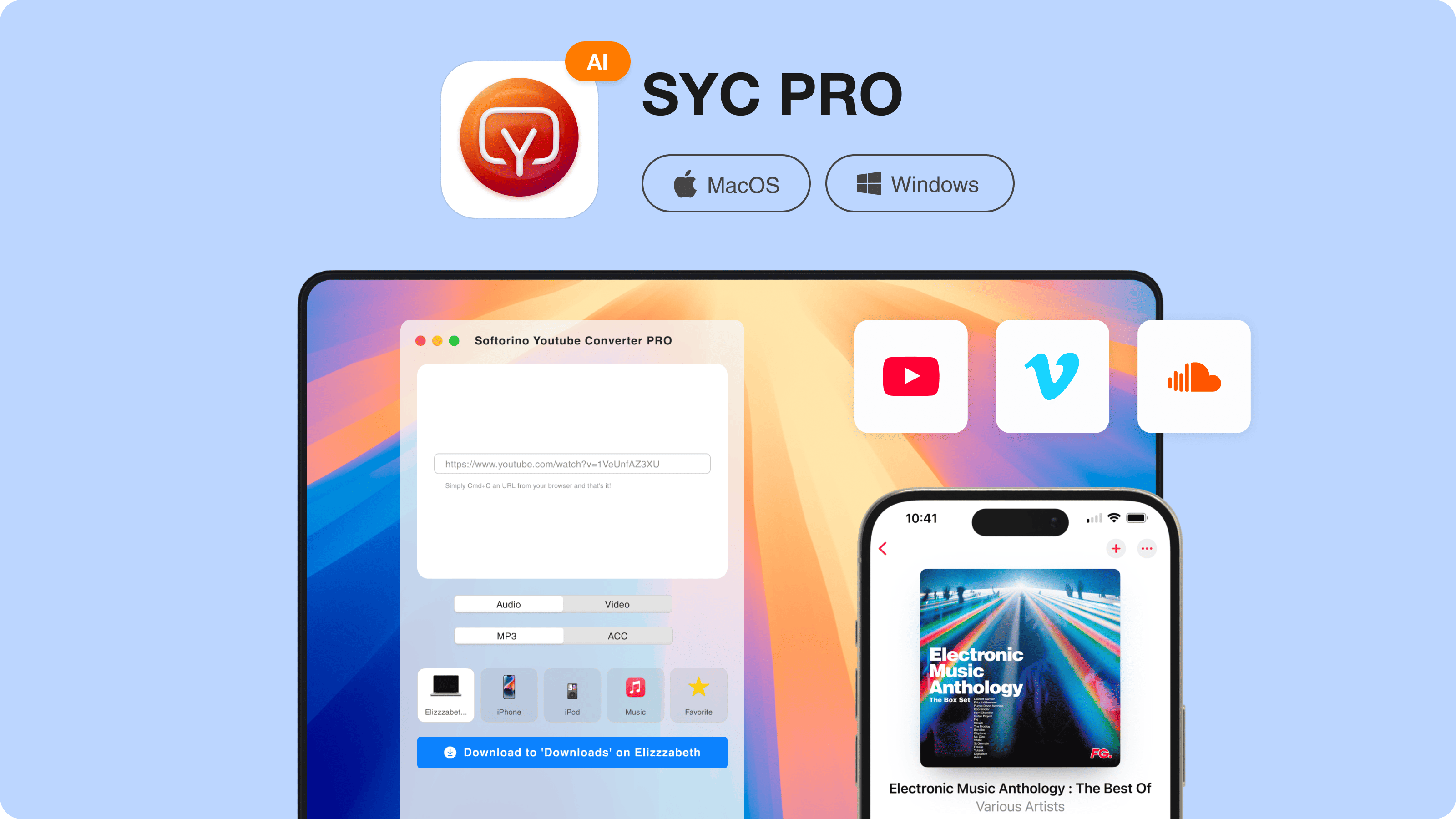
Step 1. Install and launch SYC PRO
Download SYC PRO from Softorino and install it on your Mac or Windows PC. On Mac, open the DMG file and move through the installer. On Windows, launch the EXE file and follow the setup steps.
The app will ask you to activate a free trial during startup. Request the trial code by email, enter it in the app, and you are ready.
This is also the right time to connect your iPhone or iPad if you want the finished video to land on the device. SYC PRO can work with Apple devices without dragging you into iTunes sync.
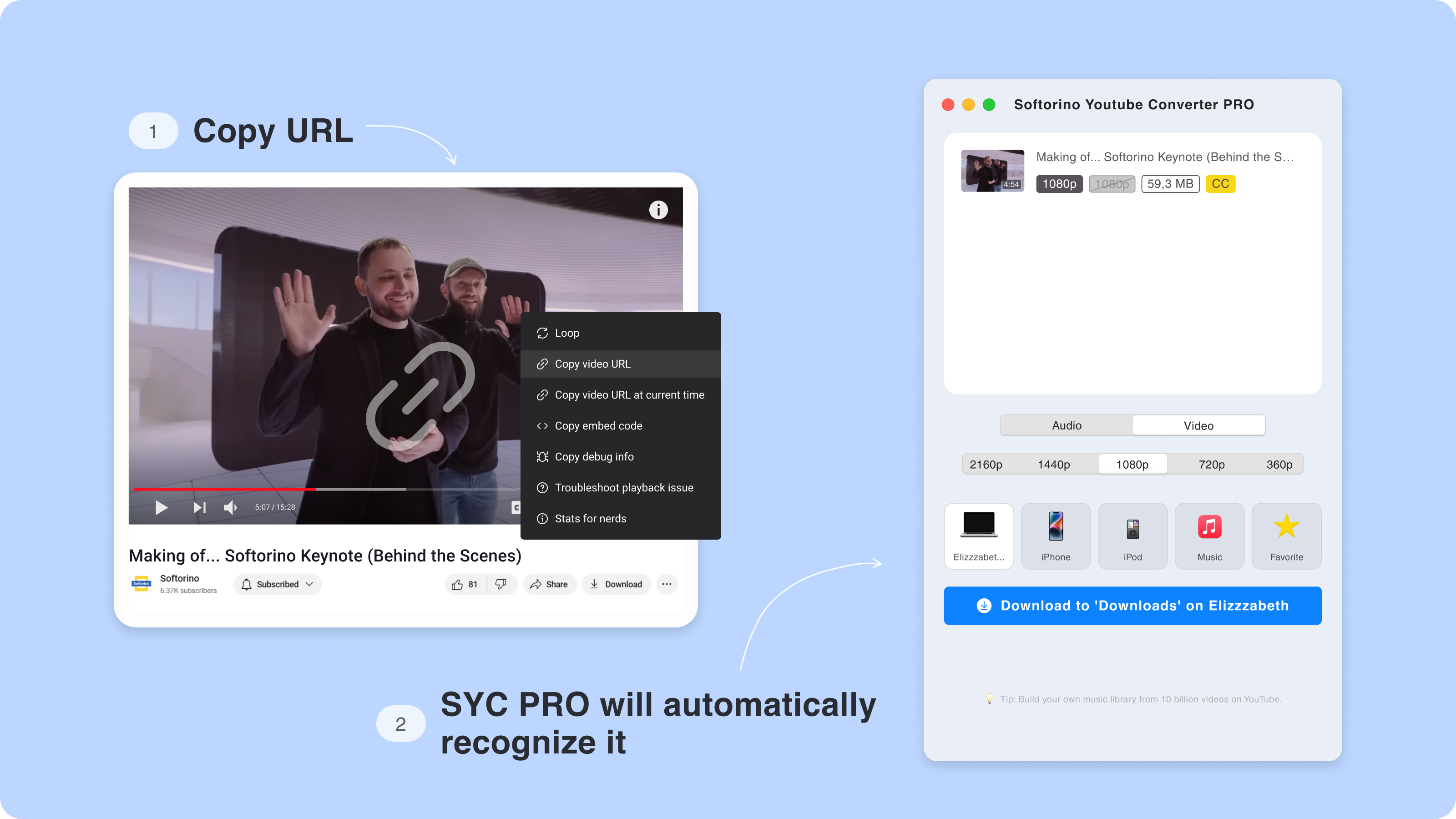
Step 2. Copy the YouTube movie link and choose a device
Open YouTube in your browser and copy the video URL. Then switch back to SYC PRO. The app should detect the link and prepare the download.
If you are trying to download a purchased or rented YouTube movie, use the YouTube app first. SYC PRO is the local-file route for videos where file download is allowed. That distinction keeps the workflow clean.
Pick where the file should go: your Mac, Windows PC, iPhone, iPad, or iPod. If your goal is to watch later on iPhone during a flight, choose the iPhone as the destination now.
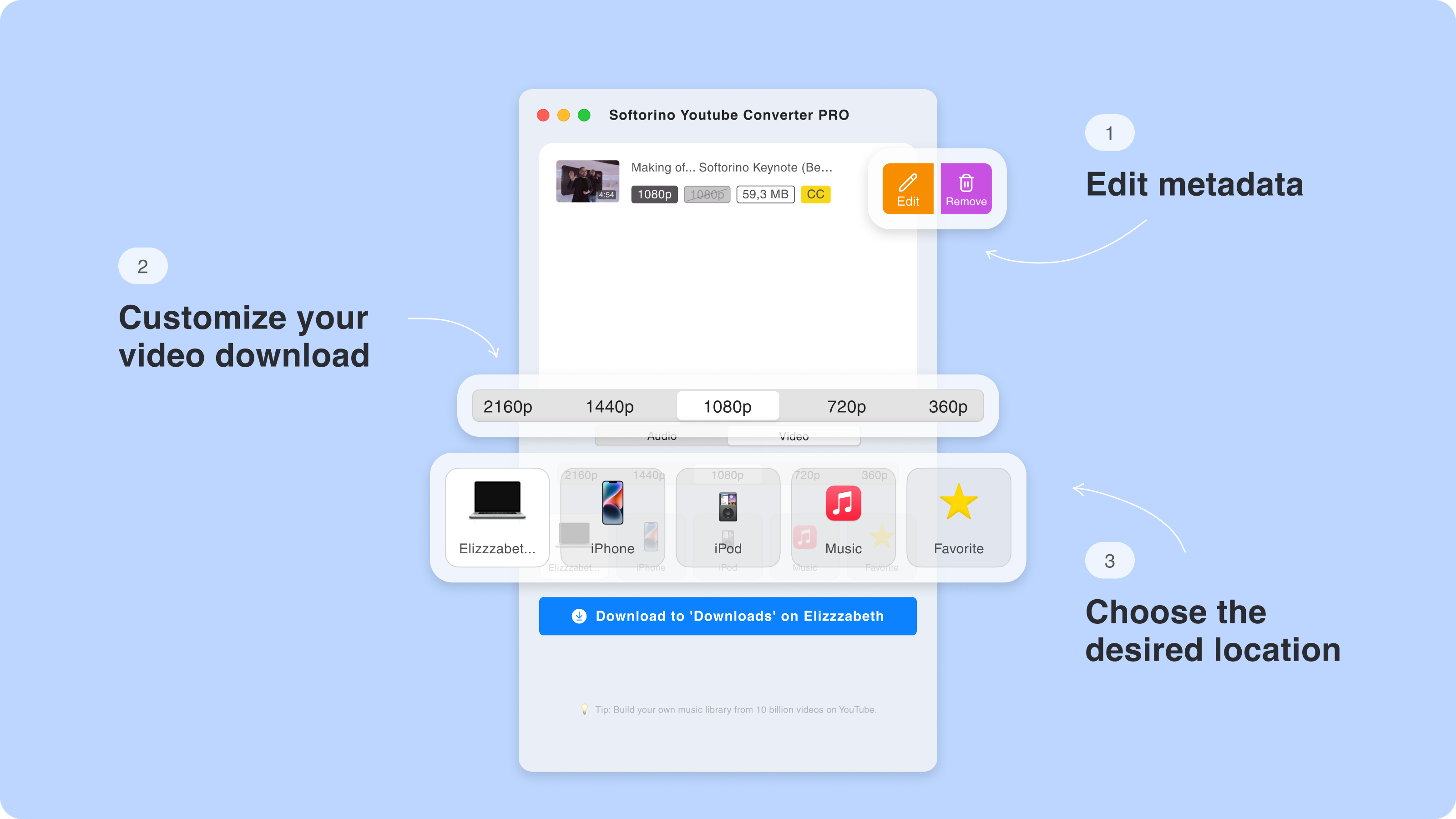
Step 3. Customize the download quality
Choose the available video quality. Depending on the source, you may see lower resolutions like 360p or higher ones like 1080p, 1440p, or 2160p. Do not expect every video to offer every quality. You can only download the streams YouTube makes available for that video.
For movies and long videos, MP4 is usually the safest format. It plays nicely on iPhone, iPad, Mac, Windows, and most TVs. If you only need the audio, choose MP3 or M4A instead.
This is where SYC PRO beats sketchy browser converters. You get a normal app, clearer quality controls, and no mystery download button pretending to be the real one.
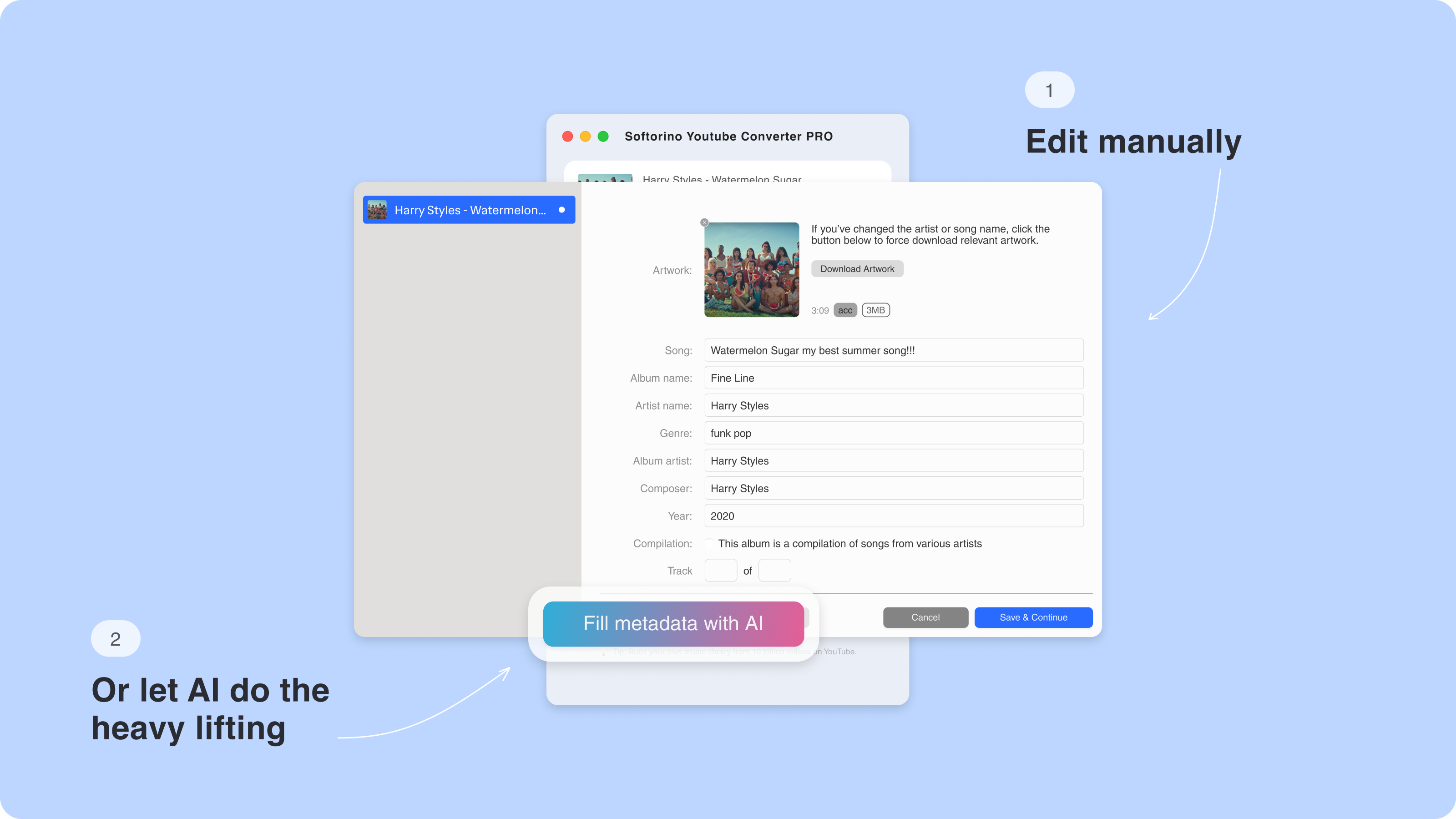
Step 3.5. Edit the metadata before saving
Movie files are much easier to find when the title, artwork, and description are correct. SYC PRO lets you adjust metadata before the file lands on your device.
You can update the title manually, add artwork, clean up the description, or let SYC PRO fill fields automatically. This is useful for long videos, lectures, concerts, and movie-style files you want to keep in a tidy library.
If you are sending the file to an iPhone or iPad, metadata also helps the video look normal in the Apple TV or Videos app instead of showing up as a random filename.
Step 4. Download the video to your device
Click Download and let SYC PRO do the work.
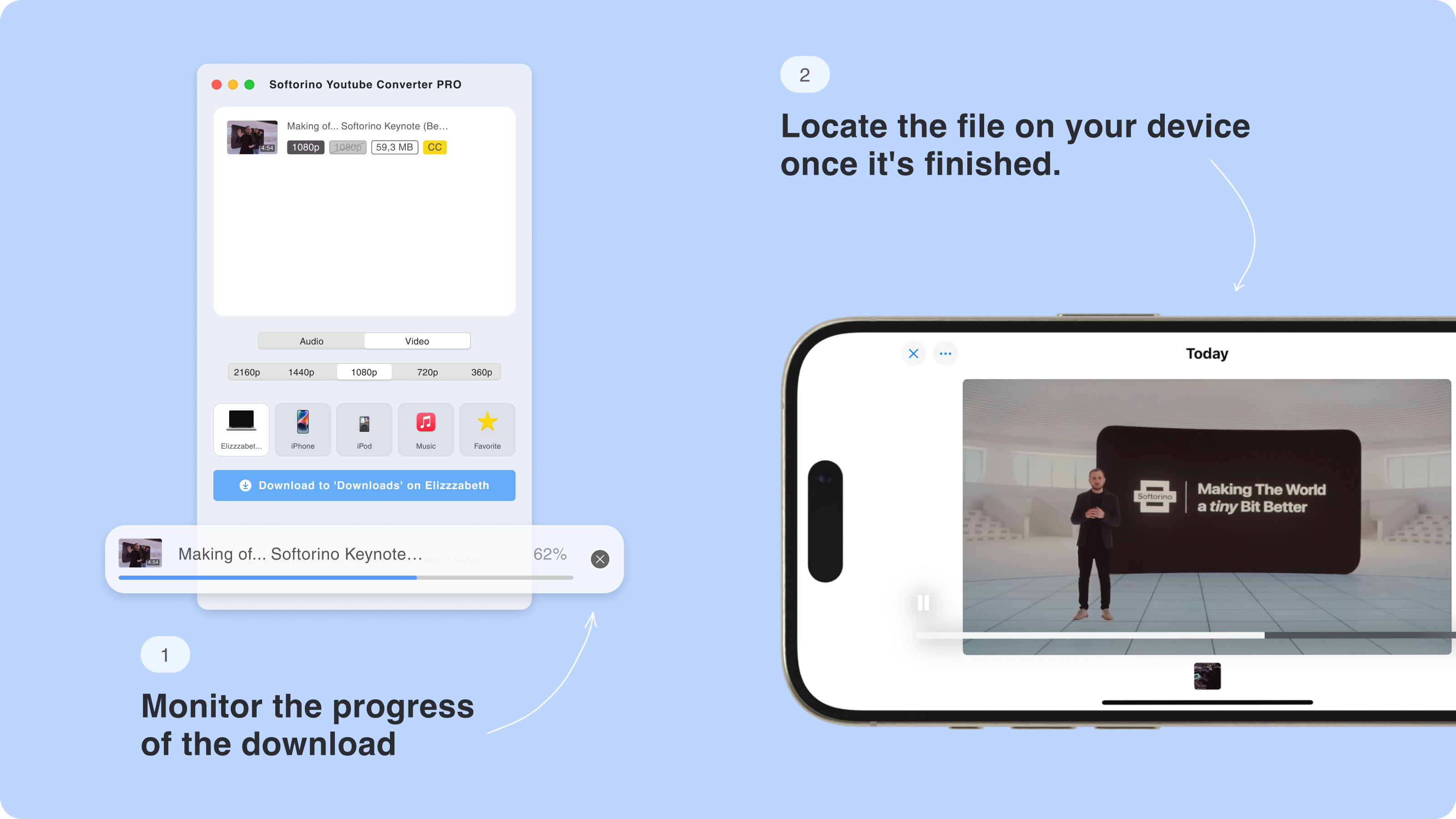
The download speed depends on the video length, the selected quality, and your connection. A short clip may finish quickly. A long movie-length file in high resolution will take longer because there is more data to save.
When the download is done, check the destination you selected. On a computer, you will have a local file. On an iPhone or iPad, the video should appear where SYC PRO sends supported video files for playback.
That is the whole point: no browser converter mess, no iTunes sync, no manual file juggling.
How to download movies from YouTube with official YouTube options
SYC PRO is useful, but it is not the answer for every YouTube movie. If you bought, rented, or watch through Premium, the official route may be the better answer.
Option 1. Download purchased or rented movies in the YouTube app
If the movie is a YouTube purchase or rental, open the YouTube app on a supported phone or tablet. Go to your purchases, choose the movie, and use the download option if it is available for your account and region.

Pros:
Cons:
Use this route when you simply want offline playback inside YouTube. Do not use SYC PRO to bypass rental rules or platform restrictions.
Official YouTube method
Good for purchased and rented movies
No third-party downloader needed
The download stays inside the YouTube app
Rental and device rules may apply
You do not get a normal MP4 file
Availability depends on country, device, and account settings
Option 2. Use YouTube Premium for offline viewing
YouTube Premium is the official way to save many videos for offline playback. YouTube's Premium download rules are simple: subscribe, tap Download, and watch later inside the app.
The tradeoff is control. Premium downloads are not your files. They stay inside YouTube, may require reconnecting to the internet, and can disappear if the video is removed or your subscription changes.
Pros:
Cons:
If that is enough, use Premium. If you need an actual file for permitted content, use SYC PRO.
Official and simple
Good for travel and low-signal areas
Works inside the normal YouTube app
Requires a monthly subscription for many videos
Downloads are app-bound
No metadata editing or file organization
Not built for moving files to your own library
Option 3. Online YouTube downloaders
Online downloaders let you paste a YouTube link into a website and download a file. They look convenient. Many are not.

Pros:
Cons:
This is why a proper desktop YouTube video downloader is safer for repeat use. You know what app you installed. You know where the file goes. You are not guessing which neon button is the trap.
No installation
Often free
Works from a browser when the site is not broken
Fake download buttons and pop-ups
Malware and privacy risks
Quality caps, often 480p or 720p
Limited subtitle and metadata support
Sites break when YouTube changes something
Option 4. VLC Media Player

VLC can sometimes pull a YouTube network stream, but it is not a friendly way to download movies from YouTube. It is brittle, technical, and not built for batch downloads, metadata, subtitles, or Apple-device transfer.
Pros:
Cons:
Use VLC to play files. Use SYC PRO when you need a cleaner download workflow for allowed YouTube content.
Free and open source
Good media player
Useful for technical users in some cases
Not beginner-friendly
YouTube stream extraction often breaks
No clean iPhone transfer workflow
No metadata editor for this job
Why SYC PRO works better for local YouTube movie files
SYC PRO is not just a paste-link-and-pray downloader. It solves the annoying part after the download: format choice, metadata, subtitles, and Apple-device transfer.

With SYC PRO, you can:
The best part is the device workflow. Apple's official tools are fine if you stay inside Apple's lanes. The pain starts when you want a normal file on your iPhone without wrestling with Finder, iTunes, sync settings, or a random cloud workaround.
SYC PRO keeps the workflow simple: paste the link, choose the output, pick the device, download.
Download permitted YouTube videos as MP4 for normal playback
Save audio as MP3 or M4A when you only need sound
Send videos to iPhone, iPad, or iPod without iTunes sync
Edit title, artwork, and description before saving
Work on Mac or Windows
Handle long videos and playlists when available
Download subtitles when supported by the source video
Troubleshooting: when YouTube downloads do not work
Even the best YouTube movie downloader can hit limits. YouTube changes streams, creators remove videos, regions block content, and some videos simply do not offer the quality or subtitles you want.
Try these fixes before giving up.
The video link is not detected
Copy the full YouTube URL from the browser address bar, not a shortened share link. If that fails, restart SYC PRO and paste the link again. Also check whether the video is private, age-restricted, region-locked, or removed.
The quality option is missing
The available quality depends on the source video. If 2160p is missing, YouTube may not provide that stream for the video. Choose the best available quality instead of forcing a resolution that is not there.
Subtitles are missing
Subtitles only appear when the source video provides them in a downloadable format. If the creator never uploaded captions, SYC PRO cannot invent accurate subtitles.
The YouTube app will not download a purchased movie
Check whether the movie is already downloaded on another device, whether your rental period expired, and whether your device supports offline playback. Also check Wi-Fi-only download settings in the YouTube app.
The download is slow
Long videos in high quality are large files. Try a lower resolution, pause other downloads, or use a stable Wi-Fi connection. If you are transferring to iPhone at the same time, keep the cable connected until the transfer finishes.
FAQ
How can I download movies from YouTube?
You can download movies from YouTube in 3 ways. Use the YouTube app for purchased or rented movies, use YouTube Premium for official offline viewing, or use SYC PRO for permitted videos you want as local files.
Is it legal to download movies from YouTube?
It depends on the movie, license, permission, and method. Download your own videos, public-domain videos, Creative Commons videos where the license allows it, or content you have permission to save. Do not download copyrighted movies without rights.
Do I need YouTube Premium to download movies from YouTube?
Not always. Purchased and rented YouTube movies may be downloadable in the YouTube app on supported devices without Premium. For many regular YouTube videos, Premium is the official offline viewing option. SYC PRO is for permitted local-file downloads.
Can I save a YouTube movie as an MP4?
Yes, when the video can legally and technically be downloaded as a local file. SYC PRO can save permitted YouTube videos as MP4, then send them to your computer, iPhone, iPad, or iPod.
Where are YouTube downloads stored?
Official YouTube app and Premium downloads stay inside the YouTube app. They are not normal files. SYC PRO downloads are saved as local files or transferred to the Apple device you choose.
Can I download YouTube movies to iPhone?
Yes. Use the YouTube app for official app-bound offline viewing. Use SYC PRO when you have a permitted video and want to transfer the finished file to iPhone without iTunes.
Can I download subtitles with YouTube movies?
Sometimes. Subtitle availability depends on the source video. If subtitles are available in a supported format, SYC PRO can help save them with the download.
Ready to get started
If you want official offline playback for a purchased movie, use YouTube's app. If you want a permitted YouTube video saved as a file and sent to your iPhone, download SYC PRO and skip the browser-converter nonsense.
For people who move videos, music, and other files to Apple devices often, the Softorino Universal License also gives you the full app bundle for about $3/month.

SYC PRO
Download Web Videos Like a PRO
