Is ClipGrab Safe? Security Risks, PUP Flags, and a Better Alternative


Is ClipGrab safe? The honest answer: ClipGrab is not automatically a virus, but it has enough PUP/PUA, bundled-installer, and mirror-download risk that casual installs are hard to recommend in 2026. If you only need to save an occasional video, you can reduce risk with careful setup.
If you want a cleaner Mac and Windows workflow for MP4, MP3, subtitles, playlists, and iPhone or iPad transfer, Softorino YouTube Converter PRO is the safer Softorino pick.
One rights note before we get into tools: only download videos you own, created, licensed, that are public domain, or that you have permission or platform rights to save. A safer app does not turn copyrighted or restricted content into fair game.
Quick verdict: is ClipGrab safe in 2026?
ClipGrab is risky enough that cautious users should treat it as a yellow flag, not a harmless default download. The core problem is not always the app's basic video-saving function. The risk comes from installer history, bundled offers, fake download buttons, mirror sites, and antivirus classifications such as PUP or PUA.
A PUP means "potentially unwanted program". That label does not always mean destructive malware. It often means the installer may include behavior you did not ask for, such as extra browser extensions, adware-like offers, or software bundles hidden behind fast install screens.
Here is the short version:
Option | Safety take | Best fit |
|---|---|---|
Official ClipGrab download | Use caution. Check every installer screen and avoid extras. | Users who understand PUP warnings and only need basic desktop downloads. |
ClipGrab from mirror sites | Avoid. Mirror sites add fake buttons, wrappers, and stale installers. | Nobody who cares about device hygiene. |
Online converter sites | Convenient but often messy. Ads, trackers, pop-ups, and fake buttons are common. | One-off low-risk downloads, if you know the site and block junk. |
SYC PRO | Cleaner official desktop app from Softorino with direct Apple-device transfer. | Mac and Windows users who want MP4/MP3 plus iPhone or iPad transfer without iTunes. |
YouTube Premium | Official offline viewing inside YouTube. | Users who want YouTube's approved offline mode, not local MP4/MP3 files. |

Before we begin
Download SYC PRO on Mac or Windows when you want a focused desktop alternative to ClipGrab for saving permitted online media. Check the source, format, and destination before downloading, and save only media you own or may legally use.
What is ClipGrab?
ClipGrab is a free video downloader for saving videos from sites such as YouTube and Vimeo. It runs on Mac, Windows, and Linux, and it can convert downloads to common formats like MP4 and MP3.
That sounds simple. The safety question starts when you look at how people download it. Many users do not land on a clean installer path. They search for ClipGrab, see multiple download buttons, choose a mirror, and then wonder why their antivirus complains.
ClipGrab also sits in a messy software category. Free video downloaders attract copycat sites, wrapper installers, aggressive ads, and outdated builds. Even if the app itself works, the path to getting it onto your computer can be the dangerous part.
Why antivirus tools flag ClipGrab
Antivirus warnings around ClipGrab usually come from installer behavior, not from the idea of downloading a video. Security tools may flag download managers, bundled installers, InstallCore-related history, or PUP/PUA patterns.
The practical concerns are simple:
- Bundled offers may appear during installation.
- Fast install screens can hide extra software choices.
- Mirror sites can wrap the installer in their own download manager.
- Fake download buttons can send users to unrelated files.
- Old builds may break or trigger warnings after platform changes.
That is why the question "is ClipGrab safe" has a boring but useful answer: it depends where you get it, which installer you use, and how carefully you install it.

Important: If your security software blocks a ClipGrab installer, do not override the warning just because a blog says the app is fine. Delete the installer, download only from the official source if you still want to test it, and scan again.
Is ClipGrab a virus or a PUP?
ClipGrab is better described as a tool with PUP/PUA concerns than as "definitely a virus." That distinction matters.
A virus tries to spread or damage systems. A PUP or PUA may not destroy files, but it can still create a bad day. It may change browser settings, install extra software, inject ads, or make cleanup harder than it should be.
For a normal Mac or Windows user, the outcome matters more than the label. If a free downloader asks you to dodge extra offers, inspect installer screens, and scan the machine afterward, the tool is no longer "free" in the way people mean it. You are paying with attention and risk.
Is ClipGrab safe on Mac?
ClipGrab on Mac deserves the same caution as ClipGrab on Windows. macOS has stronger built-in controls than older desktop systems, but it cannot save you from approving the wrong installer, downloading from a mirror, or granting permissions to software you do not fully trust.
If you still use ClipGrab on Mac, download it only from the official ClipGrab site, avoid mirror pages, and do not install anything extra. After installation, check Login Items, browser extensions, and Applications for software you did not intend to add.
Mac users should also ask a second question: do you want the file on your Mac, or do you want it on your iPhone or iPad? ClipGrab focuses on saving to the computer. Moving that file to an Apple device is a separate chore.
Is ClipGrab safe on Windows?
ClipGrab on Windows has the same core risk: installer hygiene. Windows users often see more third-party download sites, more wrapper installers, and more aggressive ad pages around free utilities.
If Windows Defender, Malwarebytes, Avast, or another security app flags the installer, treat that as a real warning. Do not whitelist the file unless you can verify the source and understand why the detection appeared.
Windows users should also watch the browser after installation. If a homepage changes, a new extension appears, or search redirects feel wrong, remove the extra software and run a full security scan.
How to use ClipGrab more safely if you still want it
If you still want to test ClipGrab, keep the setup boring. Boring is good when installers are involved.
- Download ClipGrab only from the official website.
- Avoid mirror sites, "download now" ads, and pages with multiple fake buttons.
- Scan the installer before opening it.
- Read every installer screen instead of clicking Next by muscle memory.
- Decline browser extensions, search tools, system cleaners, or bundled apps.
- Use a standard user account when possible, not an admin account for everything.
- Check your browser extensions and installed apps after setup.
- Delete the installer when you finish.
If any step feels sketchy, stop. There are enough downloader options that you do not need to argue with an installer.
ClipGrab vs SYC PRO: safer downloader workflow
ClipGrab and SYC PRO solve part of the same problem, but they are built for different users. ClipGrab is a free desktop downloader. SYC PRO is a Softorino app for Mac and Windows that downloads or converts allowed media to MP4 or MP3 and can send it straight to iPhone or iPad without iTunes.
Feature | ClipGrab | SYC PRO |
|---|---|---|
Main safety concern | PUP/PUA and bundled-installer history | Official Softorino desktop app, Apple-notarized product page claim |
MP4 and MP3 downloads | Yes, basic workflow | Yes, with a cleaner product workflow |
iPhone/iPad transfer | No direct Apple-device transfer | Sends downloads directly to iPhone or iPad without iTunes |
Subtitles and playlists | Depends on current source support | Supports subtitles and playlists when source media provides them |
Metadata editing | Limited or not the main focus | Metadata editing and AI-assisted metadata on supported workflows |
Best fit | Users who accept installer caution for a free tool | Users who want a cleaner app plus Apple-device transfer |
SYC PRO is not a license to download anything you want. It is a cleaner workflow for content you have rights to save. The win is practical: you do not have to wrestle with mirror sites, bundled offers, and iTunes sync after the download.
How to download allowed videos with SYC PRO
If your goal is to save allowed videos and get them onto an Apple device, SYC PRO removes the annoying second half of the job. You download the media and send it where you actually want it.
Step 1: Download and install SYC PRO
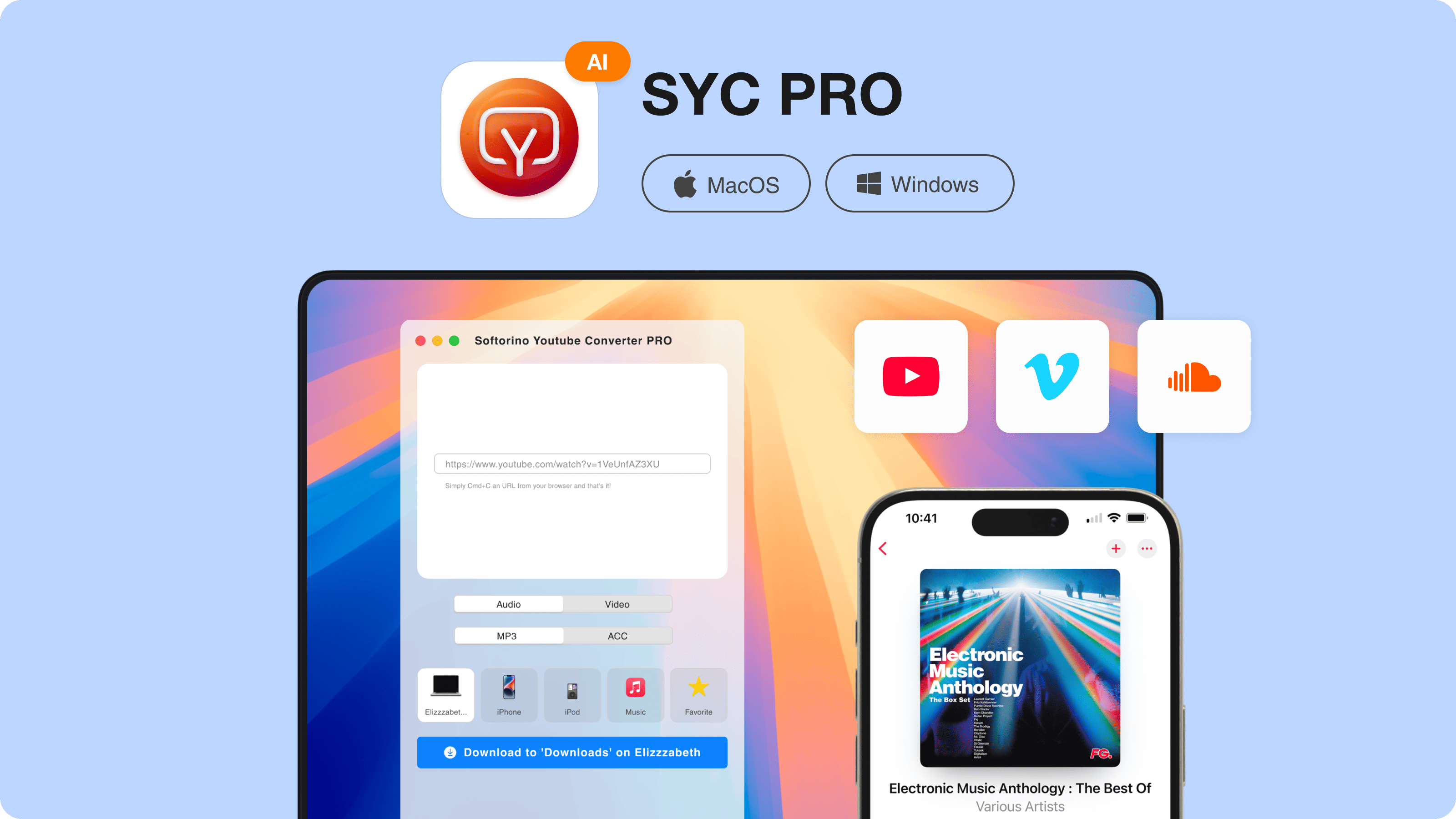
Download Softorino YouTube Converter PRO from Softorino's official product page. Install it on Mac or Windows and start the free trial. No random mirror. No ad-stuffed converter page.
Step 2: Copy the video URL
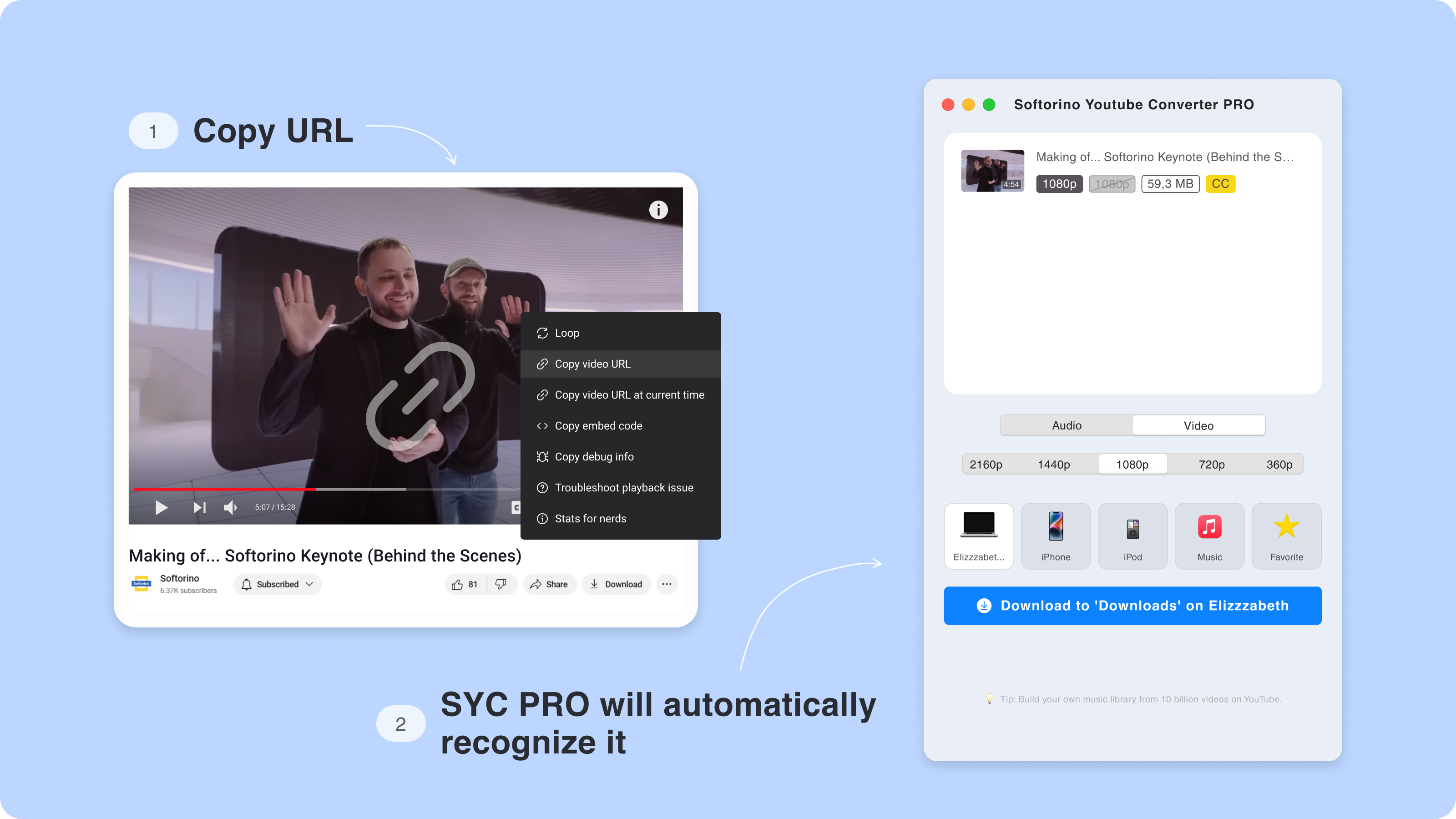
Open the video you have permission to save and copy its URL. SYC PRO detects copied links, so you do not need to paste the link into a sketchy browser converter.
Step 3: Choose MP4, MP3, quality, and destination
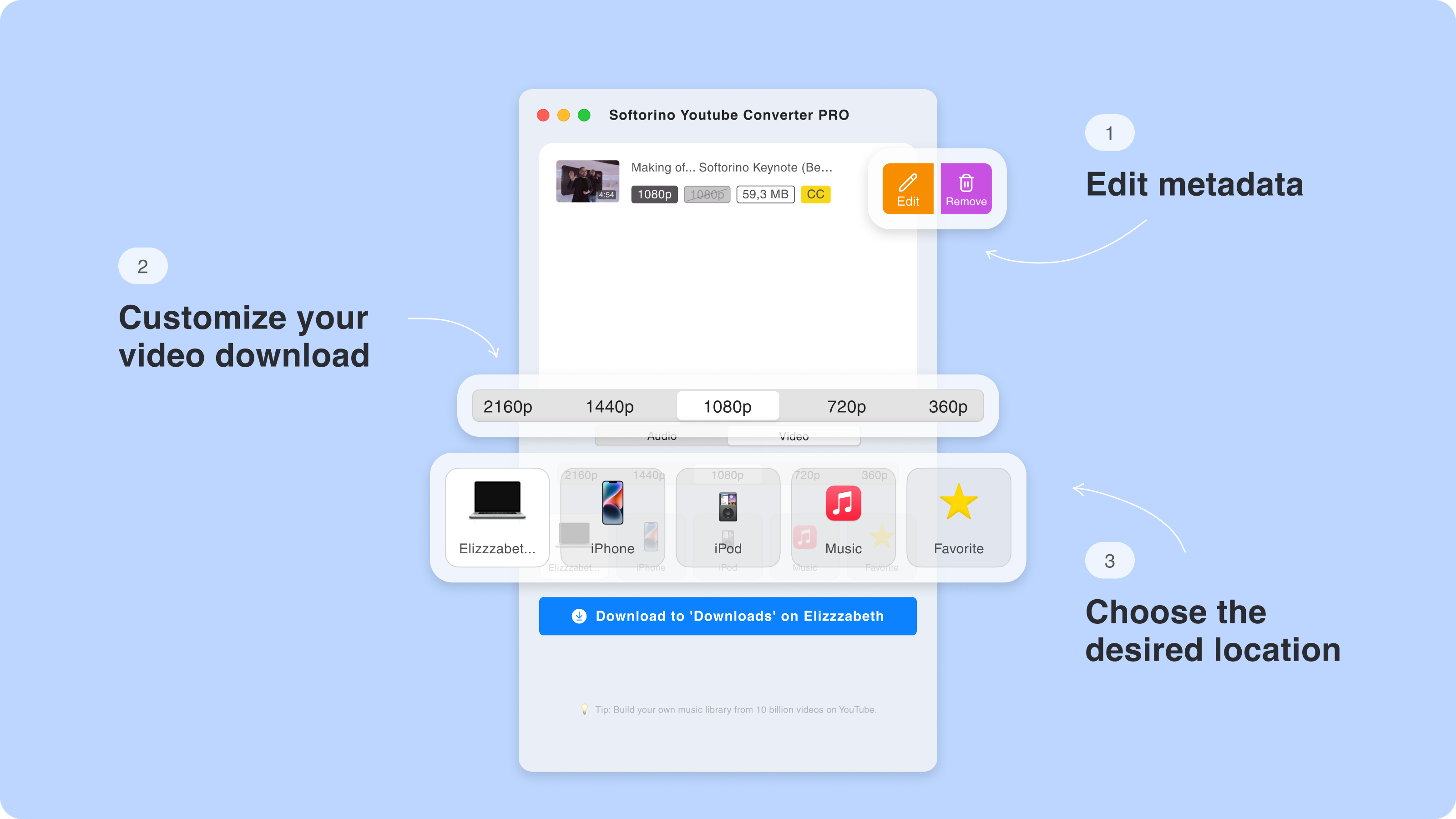
Choose MP4 for video or MP3 for audio. Pick the quality the source provides, then choose where the file should go. You can save it to the computer or send it to an iPhone or iPad.
Step 4: Convert and transfer
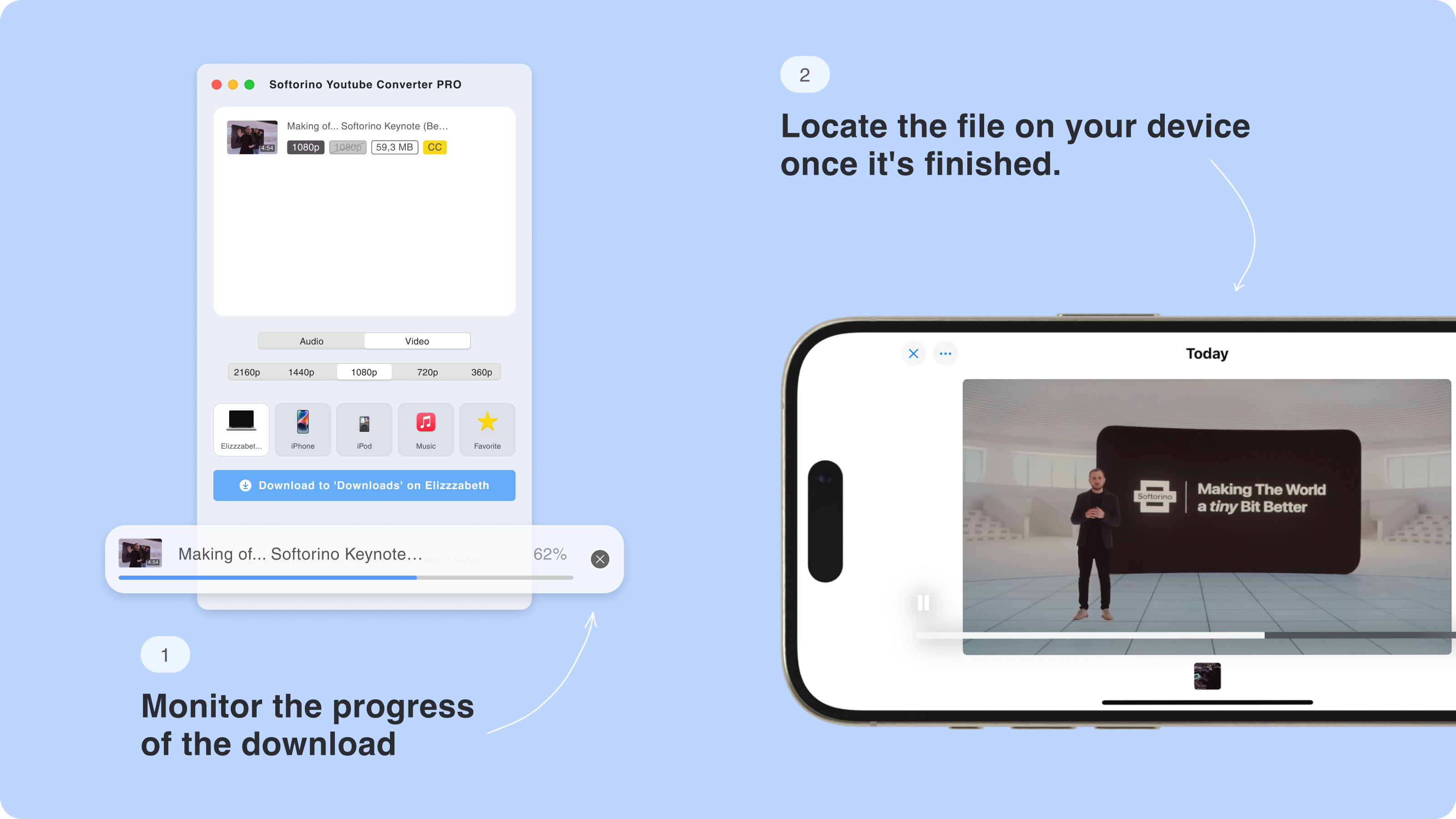
Start the download. SYC PRO handles the conversion and transfer workflow in one app. For iPhone and iPad users, this is the part ClipGrab does not solve: getting the file onto the device without dragging iTunes or Finder into the mess.
Does ClipGrab work on iPhone or iPad?
ClipGrab does not download directly to iPhone or iPad. The official workflow is desktop-first: save the video on Mac, Windows, or Linux, then move it somewhere else yourself.
For Apple devices, that creates the usual Apple tax:
- Download the file to your computer.
- Connect your iPhone or iPad.
- Use Finder, iTunes, Files, cloud storage, or another transfer route.
- Hope the format lands in the app you expect.
- Repeat the process when you download another file.
That is fine for rare use. It gets old fast if you save lectures, workouts, travel videos, music clips, or tutorials for offline use.

Safer rules before you download any video
Tool choice matters, but habits matter too. A clean app cannot fix bad sources or careless downloading.
Use these rules before saving videos:
- Use official product pages, not mirror sites.
- Avoid pages with multiple fake download buttons.
- Do not install browser extensions unless you know why you need them.
- Keep antivirus warnings enabled.
- Download only content you own, created, licensed, or have rights to save.
- Use YouTube Premium offline downloads when you want YouTube's official offline mode inside the YouTube app.
- Choose a desktop app when you need local MP4 or MP3 files and device transfer.
For related safety checks, Softorino also covers YTD Downloader safety, SnapDownloader safety, PullTube safety, Downie, and 4K Video Downloader safety.
Bottom line: should you use ClipGrab?
You can use ClipGrab carefully, but it is not the downloader I would hand to someone who already feels nervous about antivirus warnings. Too much of the experience depends on clean sourcing, careful installer reading, and avoiding bundled junk.
If you only need one desktop download and you know what you are doing, the official ClipGrab installer may be enough. If you want a cleaner Mac or Windows app, MP4/MP3 output, subtitles, playlists, metadata options, and direct iPhone or iPad transfer, download videos with SYC PRO instead.
The best ClipGrab alternative is the one that removes both risks: sketchy install paths and annoying post-download transfer steps.
FAQs
Is ClipGrab safe?
ClipGrab is not automatically a virus, but it has enough PUP/PUA, bundled-installer, and mirror-site risk that cautious users should be careful. Download only from the official source, scan the installer, and decline any bundled offers.
Why does antivirus flag ClipGrab?
Antivirus tools may flag ClipGrab because of PUP or PUA behavior, bundled installer components, or download wrappers from third-party sites. A warning does not always mean destructive malware, but it does mean you should slow down.
Is ClipGrab a virus?
ClipGrab is better described as a downloader with PUP/PUA concerns than as a confirmed virus. The safer wording matters because the main risk is usually unwanted bundled software or risky installers, not guaranteed file-destroying malware.
Is ClipGrab safe on Mac?
ClipGrab on Mac still needs caution. Download only from the official site, avoid mirrors, inspect installer screens, and check for unwanted browser extensions or login items after installation.
Can ClipGrab download directly to iPhone?
No. ClipGrab is a desktop downloader. If you want to download allowed videos and send them directly to iPhone or iPad without iTunes, SYC PRO is the cleaner Softorino alternative.
What is the safest ClipGrab alternative?
For Softorino readers, SYC PRO is the safer ClipGrab alternative when you want a Mac or Windows app that handles MP4, MP3, subtitles, playlists, metadata, and direct iPhone or iPad transfer. Use it only for videos you have rights to save.

SYC PRO
Download Web Videos Like a PRO
