KeepVid Review and Alternative for MP3/MP4 Downloads


KeepVid review: quick answer
Quick answer: KeepVid search results now point to several different tools, websites, app listings, and old software pages that use the KeepVid name. A name match alone does not prove the page is related to the original service or safe to use.
If you want a cleaner KeepVid alternative for permitted media, use a current desktop downloader such as Softorino YouTube Converter PRO, or use YouTube Premium when you only need official offline playback inside YouTube.
Before we begin
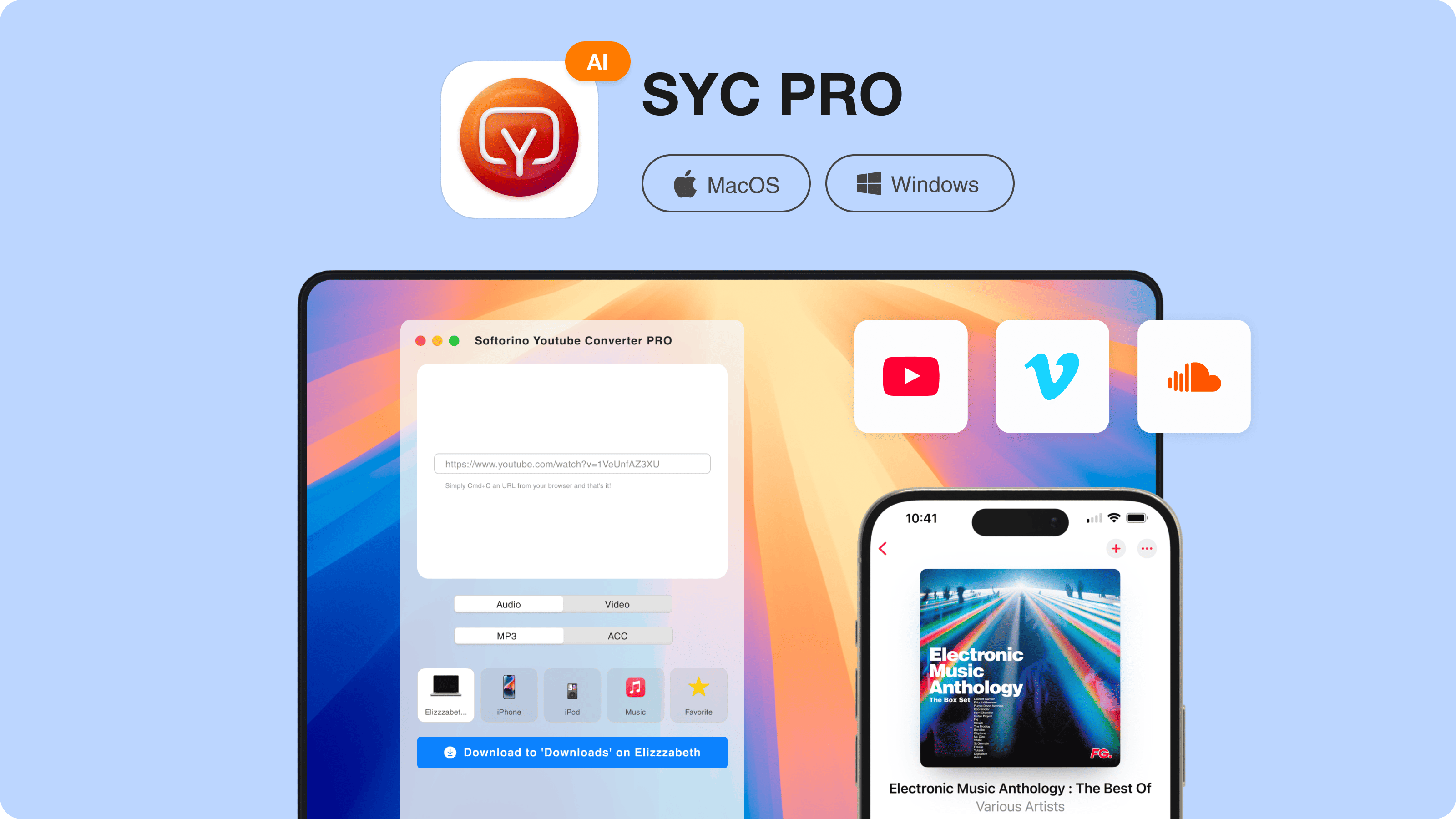
Download SYC PRO on your Mac if you want a desktop way to save permitted YouTube, Vimeo, or SoundCloud media as MP3/MP4 and send it to an Apple device. Use it only for videos you own, have permission to save, or may download under the platform rules.
Quick takeaways
KeepVid is no longer one simple product to evaluate. Current results mix web downloaders, software directories, Android listings, and old references.
A good KeepVid alternative should make format, source, destination, and support clear before you download anything.
SYC PRO is the Softorino fit when you want a desktop workflow for MP3/MP4 downloads, playlists, metadata cleanup, and Apple-device transfer.
This update uses current public sources and product documentation. It does not include malware scans or device-lab claims.
Is KeepVid still safe to use?
Treat KeepVid as a name you need to verify, not a single trusted tool. The current SERP includes a KeepVid-named online downloader, old software directory pages, a KeepVid-named Android app, and historical discussions about the older service. Those are not the same thing by default.
Do not assume every KeepVid page is malware. Also do not assume every download button is harmless. Leave if a page pushes Java, browser extensions, unexpected installers, fake download buttons, forced notifications, or confusing redirects. If your browser or operating system warns you, do not click through just because the site promises a fast download.

A safer KeepVid alternative should be current, clear about MP3/MP4 formats, clear about where files are saved, and honest about what it can and cannot download.
A browser downloader can still be fine for a low-stakes one-off file. For repeat downloads, playlists, or Apple-device transfer, a maintained desktop app is easier to judge because you can verify the publisher, product docs, support page, and download source.
What makes a good KeepVid alternative?
A good KeepVid alternative should solve the reason people used KeepVid in the first place: paste a link, choose a format, and save the file without fighting the page. The difference in 2026 is that you also need clearer trust signals.
Look for these basics before you use any downloader:
- A clear publisher or company behind the tool.
- A current download page or web app that does not hide the real button.
- MP4 for video and MP3 or AAC for audio when those formats fit your use case.
- A clear file destination: computer folder, Apple Music, Apple TV, iPhone, or iPad.
- Playlist support if you save lectures, workouts, music sets, or long queues.
- Support docs or a help channel when something breaks.
Online tools win on convenience because you do not install anything. Desktop apps win when you care about repeat use, metadata, fewer distractions, and where the file lands after the download.
YouTube Help says YouTube Premium downloads are for offline viewing, while creators can download their own uploaded videos as MP4 files. Do not treat any third-party downloader as permission to bypass copyright, platform terms, or access restrictions.
Best KeepVid alternative: Softorino YouTube Converter PRO
The best Softorino pick for a KeepVid alternative is Softorino YouTube Converter PRO, also called SYC PRO. It is built for the job KeepVid users usually want: save permitted web media as MP3 or MP4, choose a destination, edit metadata, and move the result into an Apple-friendly library.
The current SYC PRO page documents YouTube, Vimeo, SoundCloud, playlists, MP3, AAC, MP4, subtitles, metadata editing, and direct Apple-device destinations. The page also presents Mac and Windows tabs, but its mobile FAQ still describes the iPhone/iPad workflow as a macOS app flow. For this article, the worked recommendation stays Mac-first. Windows readers should confirm current platform details on Softorino's download page before buying.
SYC PRO gives you the KeepVid-style flow without the browser ad maze:
- Copy a media URL or search inside the app.
- Choose MP3, AAC, or MP4 depending on whether you need audio or video.
- Pick quality and destination.
- Use Fill Metadata with AI or manual edits when the title, artist, or artwork needs cleanup.
- Download the file.
- Send supported downloads to iPhone or iPad over cable or Wi-Fi when that destination is available.
If you only want one random clip once a year, a free web tool may be enough. If you save tutorials, music, lectures, workouts, or playlists often, SYC PRO gives you a cleaner workflow and a real product team behind it.
KeepVid alternative comparison: web tools vs SYC PRO
A KeepVid alternative comparison should not pretend one tool wins every use case. Web downloaders are quick when they work. SYC PRO is better when you want a maintained app, metadata controls, and Apple-device handoff.
Feature | KeepVid-style web tools | SYC PRO |
|---|---|---|
Best fit | One-off browser downloads | Repeat downloads and Apple-device workflows |
Trust check | Varies by site, domain, ads, and installer behavior | Official Softorino app and support channel |
Install needed | Usually none for the web page; extensions may appear | Desktop app install required |
Formats | Often MP3/MP4, but options vary by page | MP3, AAC, and MP4 from the documented product flow |
Playlists | Some tools claim playlist support; verify per site | YouTube playlist support is documented |
Metadata | Some tools claim tags; quality varies | Fill Metadata with AI plus manual metadata editing |
Destination | Usually a browser download folder | Mac, Apple Music/TV-style library flow, or Apple device where supported |
Official offline option | Not official YouTube offline viewing | Separate from YouTube Premium offline downloads |
SYC PRO does not need to claim support for every video site on the internet. Its useful fit is narrower: YouTube, Vimeo, SoundCloud, MP3/MP4/AAC, playlists, metadata, and Apple-device transfer for permitted downloads.
How to download videos with this KeepVid alternative
SYC PRO keeps the download flow short. You do not need a browser extension, Java, or iTunes for the Mac workflow documented by Softorino.
Step 1. Install SYC PRO on your Mac
Download Softorino YouTube Converter PRO from the official Softorino download page and install it on your Mac. The product page says the app is free to download and try, so test the workflow before you decide whether it belongs on your machine.
Step 2. Paste a URL or search inside the app
Copy a YouTube, Vimeo, or SoundCloud link and paste it into SYC PRO. You can also use the built-in search when you do not want to jump between the browser and the app.
If quality matters, read Softorino's YouTube video downloader guide for broader downloader context before you build a big queue.
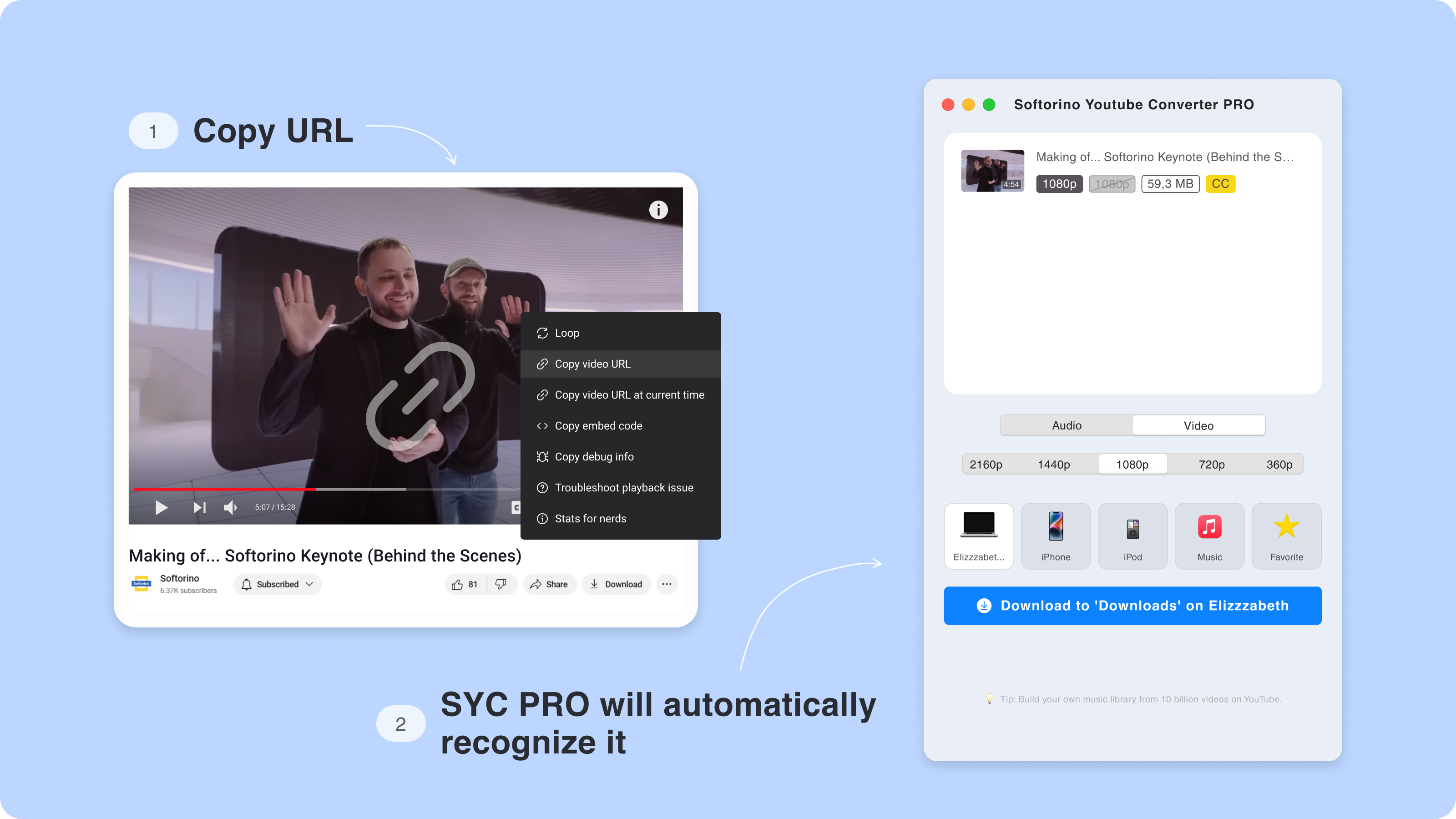
Built-in search sounds minor until you use it. It removes the tab-hunting that makes browser downloader sessions messy.
Step 3. Choose MP3, MP4, quality, and destination
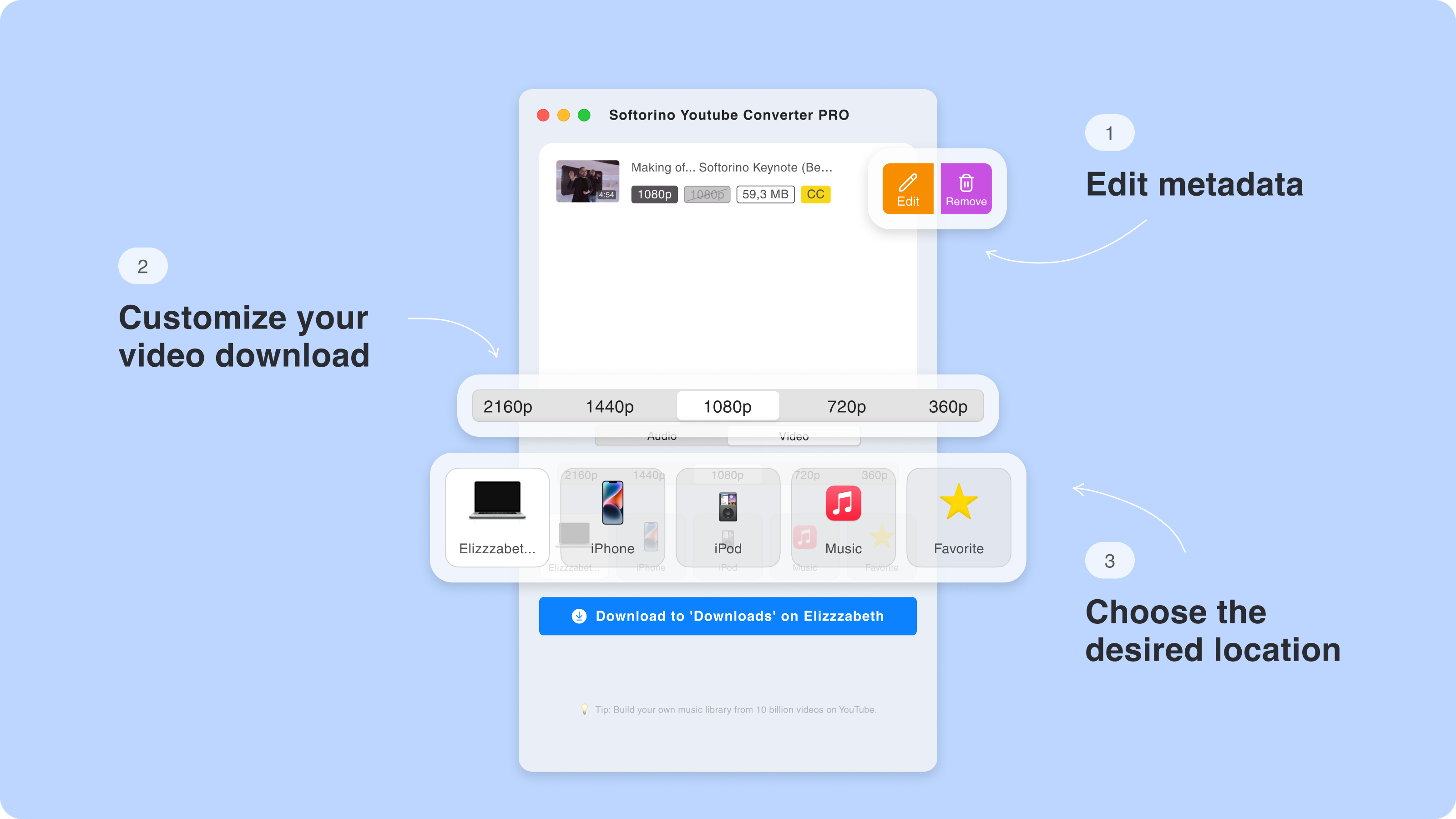
Pick MP4 when you want the full video. Pick MP3 or AAC when you only need audio. Then choose quality and destination before the download starts.
Apple documents official device syncing and YouTube documents Premium offline playback separately. SYC PRO is useful because it puts the download and Apple-device destination in one desktop workflow for permitted media.
Step 4. Clean up metadata before the file lands in your library
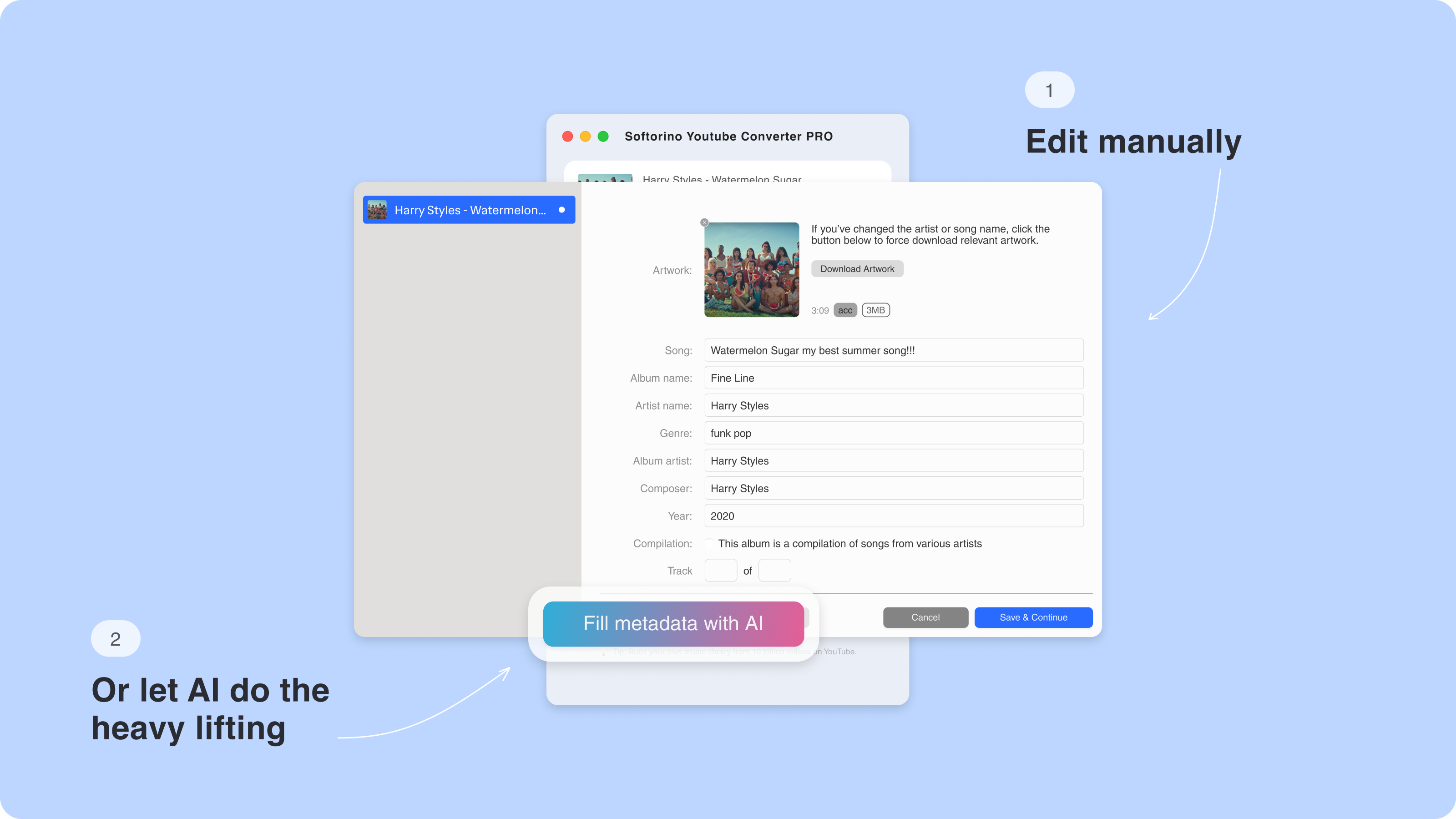
Downloaded videos and audio files often arrive with ugly titles, missing artwork, or random uploader text. SYC PRO's documented Fill Metadata with AI feature can help fill titles, artist names, and artwork before the file lands in your library.
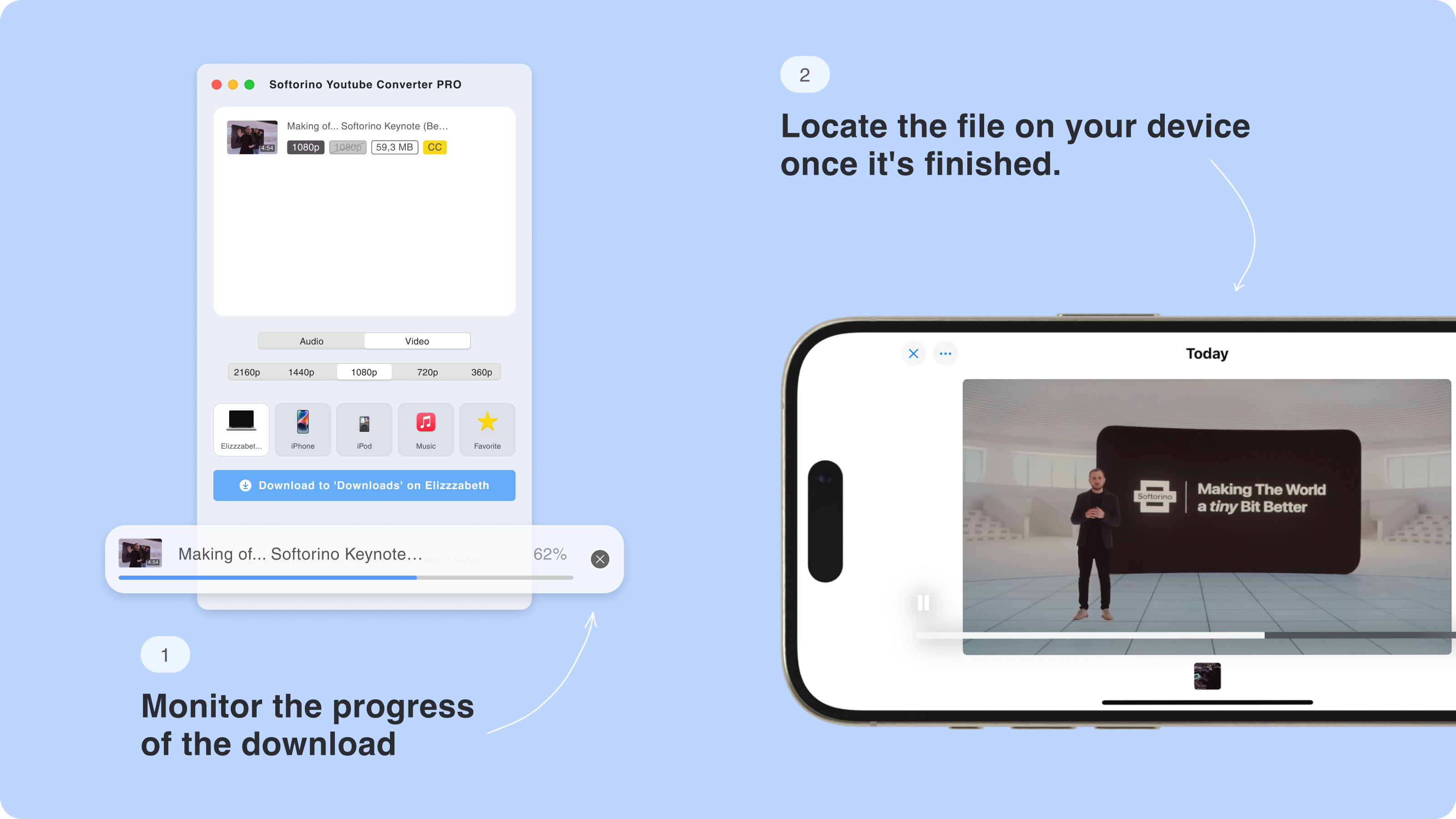
Step 5. Download to your computer, iPhone, or iPad
Click Download and let SYC PRO save the file to the selected destination. If the video is long, Softorino's guide to download long YouTube videos explains the long-file workflow in more detail.
Official options to know before using any downloader
Use YouTube Premium when you want official offline viewing inside YouTube's apps or supported browsers. YouTube Help says Premium downloads are for watching offline; they are not a general MP3 or MP4 export workflow.
Use YouTube Studio or Google Takeout for your own uploads. YouTube Help says creators can download MP4 files of videos they uploaded, and Google Takeout can export uploaded videos. That is the cleanest route when the file is yours and you do not need a third-party downloader.
Use SYC PRO when your legitimate use case is different: you want a desktop app that saves permitted media in a chosen format, cleans metadata, and sends the file to your Apple device or library.
Other KeepVid alternatives people compare
People searching for a KeepVid alternative often see the same names: 4K Video Downloader, ClipGrab, Downie, Wondershare UniConverter, Documents by Readdle, and free online converters. Each category has a place.
4K Video Downloader and Downie are common desktop-app choices for broad download support. Wondershare UniConverter is more of a conversion suite than a simple KeepVid replacement. Documents by Readdle fits iPhone file management, but it is not the same as a desktop downloader that prepares media and sends it into an Apple-friendly destination.
Free online converters are fastest to try. They are also easiest to abandon when domains change, ads get worse, buttons move, or support is impossible to find.
SYC PRO is the better Softorino route when your goal is specific: download permitted YouTube, Vimeo, or SoundCloud media as MP3/MP4, clean up the file, and send it to an Apple destination from a desktop workflow.
Which KeepVid alternative should you choose?
Choose SYC PRO if you want a KeepVid alternative that feels current and works beyond a single browser tab. It is strongest for Mac users who download permitted videos, playlists, or audio more than once and want metadata cleanup or Apple-device transfer.
Choose a web downloader only if you need a quick one-off file and you are comfortable checking the publisher, avoiding fake buttons, and rejecting unexpected extensions or installers.
Here is the simple version:
- Use SYC PRO for a Mac-first desktop workflow with MP3/MP4/AAC, playlists, metadata, and Apple-device destinations.
- Use a web downloader only for low-stakes one-offs from a site you can verify.
- Use YouTube Premium for official offline viewing inside YouTube.
- Use YouTube Studio or Google Takeout when you need copies of your own uploaded videos.
- Avoid tools that ask for Java, hide the real button, bypass warnings, or make ownership and support unclear.
If you want the Softorino route, start with the SYC PRO free trial. Try one permitted file, choose the destination you actually need, and you will know quickly whether it beats the old KeepVid routine.
FAQ
What is the best KeepVid alternative in 2026?
SYC PRO is the best Softorino KeepVid alternative when you want a desktop workflow for MP3/MP4 downloads, playlists, metadata cleanup, and Apple-device transfer. A web downloader can work for one-off use, but it usually gives you less control over trust, support, and file destination.
Is KeepVid safe now?
There is no single safety answer for every page using the KeepVid name. Verify the publisher, domain, download source, and installer behavior. Avoid pages with Java prompts, forced extensions, aggressive ads, fake buttons, or unexpected redirects. We did not run malware tests for this update.
Can SYC PRO download MP3 and MP4 files?
Yes. Softorino's current SYC PRO page documents MP3, AAC, and MP4 downloads, plus playlists and metadata editing. Use audio formats when you only need sound, and MP4 when you need the full video.
Does this KeepVid alternative work on iPhone?
SYC PRO does not run as a mobile iPhone app. The documented workflow runs through a desktop app and can send supported downloads to iPhone or iPad. That makes it iPhone-friendly, but not phone-only.
Can I download entire YouTube playlists?
Yes. Softorino's current SYC PRO page documents YouTube playlist support. That makes SYC PRO more practical for lectures, workouts, music sets, and recurring channels than a one-link browser downloader.
Is SYC PRO free?
SYC PRO is free to download and try. Treat it as a trial, not a permanently free downloader. Use the trial to check the formats, metadata flow, and destination options before you decide whether to keep it.

SYC PRO
Download Web Videos Like a PRO
